Skip to content
 BENGOO G9000 Stereo Gaming Headset Review: Is It Worth It?
The BENGOO G9000 shows up constantly in budget gaming headset searches, and for good reason: it sits at a price point where almost anyone can justify the purchase without much deliberation. But low price alone is not a recommendation. This RESEARCH-BASED REVIEW works through what the G9000 actually delivers on sound, microphone, comfort, and compatibility — and where it asks you to accept real compromises — so you can decide whether it earns a place in your setup or whether a few extra dollars spent elsewhere makes more sense.
Quick Answer
The BENGOO G9000 is a functional, plug-and-play wired headset that covers the basics for casual gaming on PC, PS4, PS5, Xbox, and Nintendo Switch. Its sound is serviceable for the money, its microphone handles voice chat adequately, and setup requires zero software. The tradeoffs are real: build quality feels its price, audio lacks depth and detail, and the boom mic will not satisfy anyone who cares about voice clarity. If your budget is genuinely tight and you need something that works today, it is a defensible choice. If you can stretch even modestly, better options exist.
- Best for: First-time PC or console gamers, young players, secondary setups, travel use, or anyone who needs a working headset with a mic for under $25.
- Avoid if: You care about audio quality, plan to use it for long daily sessions, want a durable long-term headset, or need a mic that sounds clean on voice or streaming.
What the G9000 Is — and What It Is Not
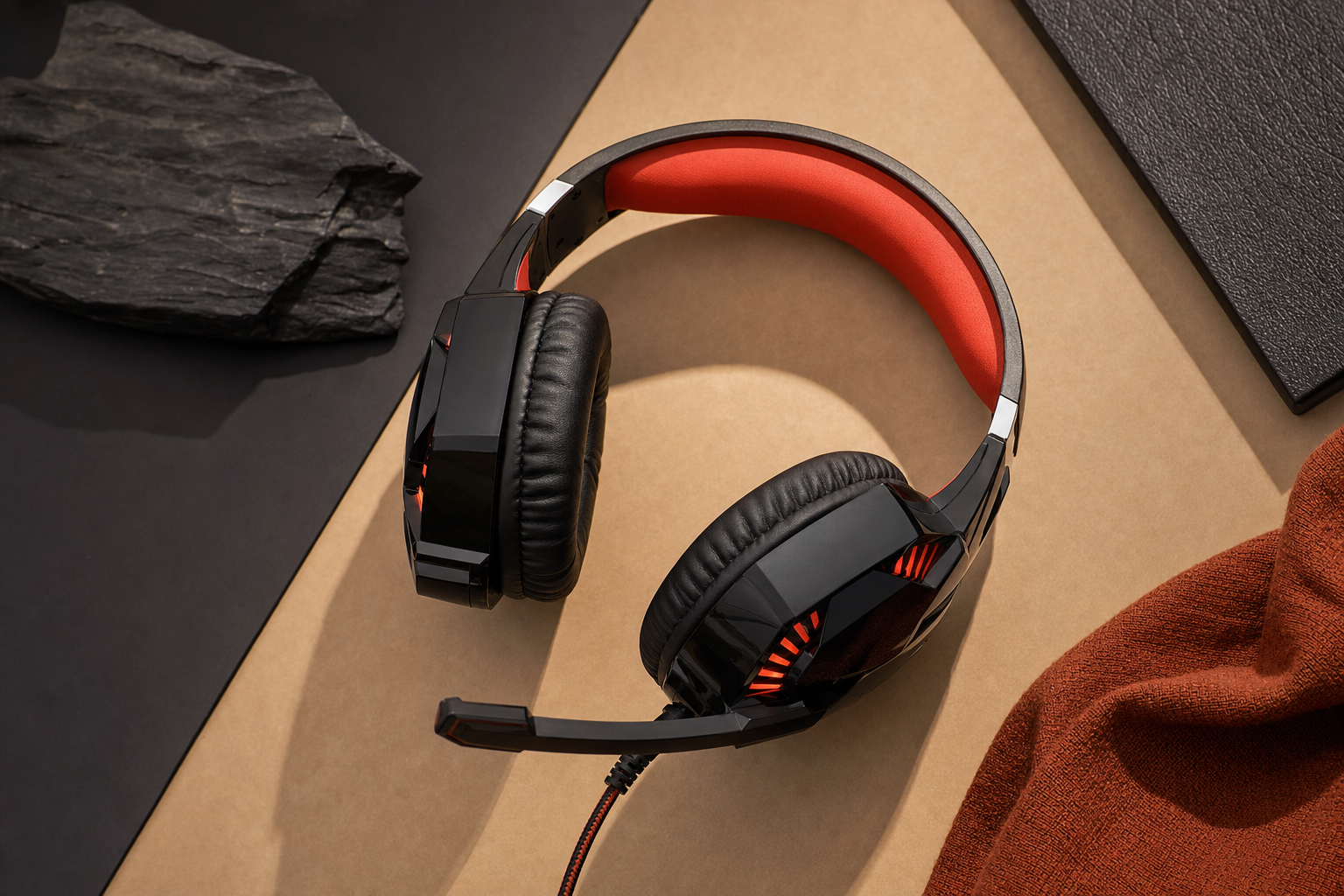
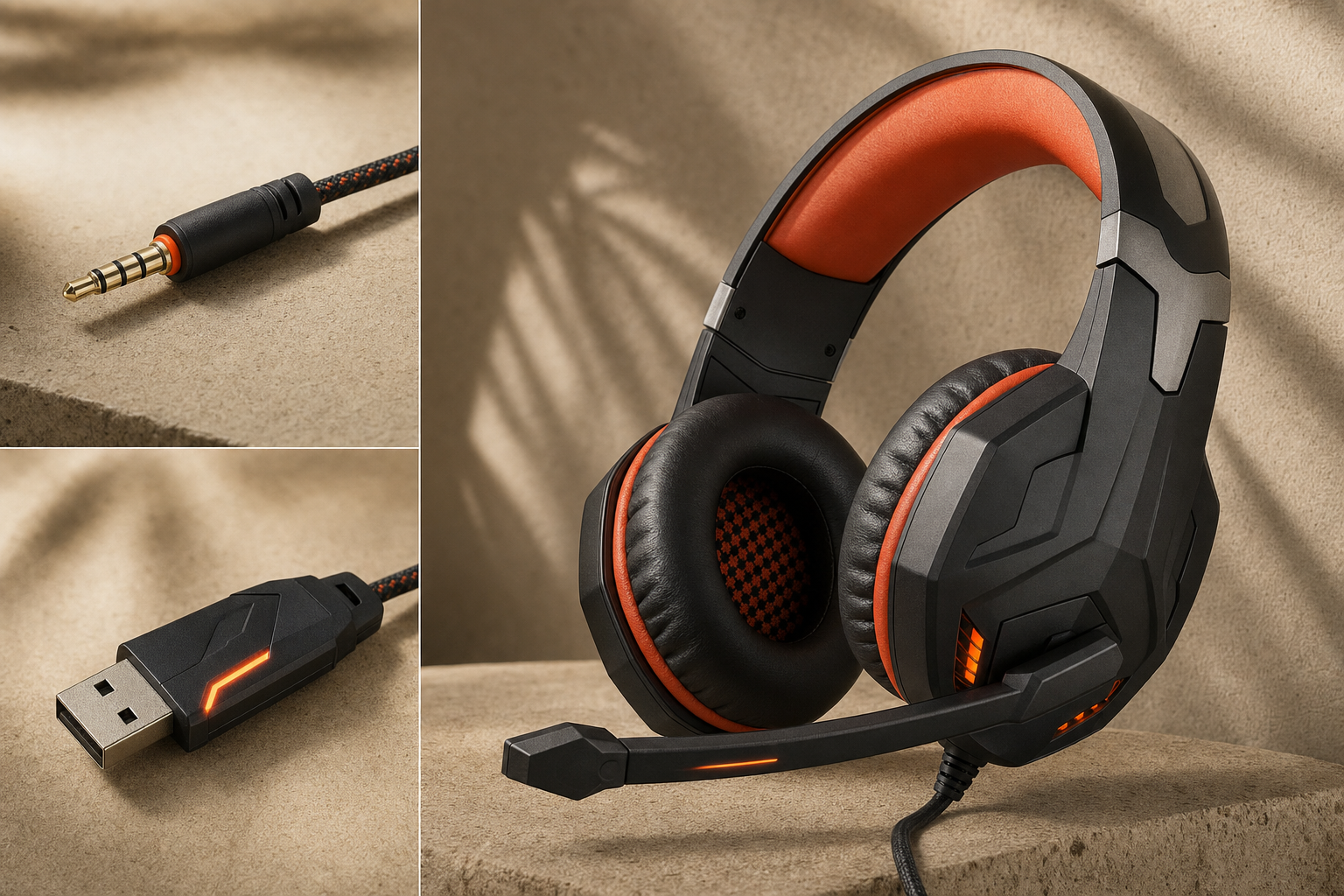
The BENGOO G9000 is a wired, over-ear stereo gaming headset with a flexible boom microphone, inline volume and mute controls, LED lighting on the ear cups, and a standard 3.5mm connection. It is not a surround-sound headset. The audio is stereo — two channels — which is worth stating plainly because some listings use language that implies more. Stereo is fine for casual gaming; just do not expect virtual surround processing or spatial audio from this unit.
The headset connects via a single 3.5mm TRRS jack or, on platforms that use separate headphone and microphone ports, via a bundled splitter cable. No drivers, no software, no USB dongle required. That simplicity is genuinely one of its strongest practical qualities.
Sound Quality: Functional, Not Impressive
At this price tier, the honest framing is: does it sound bad enough to be distracting? For the G9000, the answer is generally no — but it does not sound good in any meaningful audiophile or competitive sense either.
The over-ear ear cups provide passive noise isolation that reduces ambient room noise reasonably well for a budget unit. Bass is present but tends toward the boomy side, which can make explosions and music feel fuller than they are while muddying mid-range detail. Footstep audio and directional cues — important in competitive shooters — are serviceable in stereo but lack the precision that even a mid-range headset delivers. For casual story games, platformers, or general chat use, the sound holds up. For competitive play where audio positioning matters, it is a limitation worth knowing about.
The 3.5mm wired connection means no wireless latency, which is a genuine advantage over cheap wireless alternatives at a similar price.
Microphone Quality: Adequate for Chat, Not for Much Else
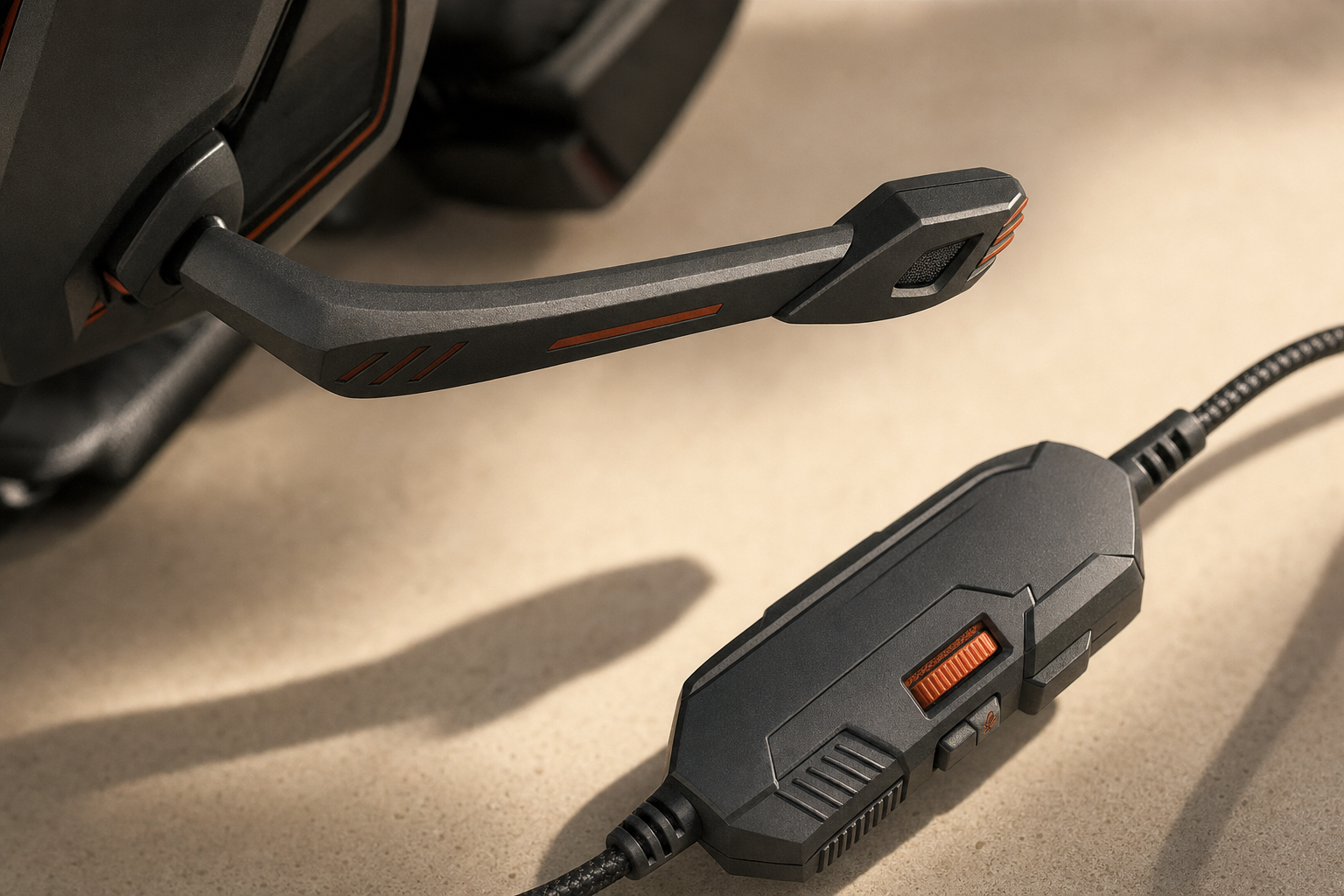
The G9000’s boom microphone is flexible and positions close to the mouth, which helps. Voice chat in casual gaming sessions — party chat on PlayStation, Xbox, or Discord on PC — is where it performs acceptably. Teammates will hear you clearly enough in most environments.
Where it falls short: background noise pickup is noticeable, voice clarity lacks the warmth and definition of headsets with better capsules, and anyone listening on the other end will likely identify it as a budget mic. For streaming, content creation, or any situation where mic quality reflects on you professionally, this is not the right tool. The inline mute control is a practical addition that works as expected.
Comfort and Build: Honest About Its Price
The G9000 uses padded over-ear cups and an adjustable headband. For shorter sessions — an hour or under — most users will find it comfortable enough. The clamping force and padding quality are consistent with the price point, which means extended sessions of two or more hours may become uncomfortable depending on head shape and sensitivity.
Build materials are predominantly plastic. The headset feels light, which reduces fatigue in short use, but also communicates its budget construction clearly. It is not fragile in the sense of breaking immediately, but it is not built to absorb rough daily handling over years of use. Treat it carefully and it should last a reasonable period; there is no durability data for this headset beyond general category expectations for the price tier.
The cable length is practical for desktop use. The inline control module — housing volume and mute — sits at a reachable position on the cable, which is a small but useful detail.
Compatibility and Setup: Its Clearest Strength
Plug-and-play via 3.5mm is the G9000’s most reliable selling point. It works with:
- PC: Via the included splitter for separate mic/headphone jacks, or directly into a combined TRRS port on a laptop.
- PS4 and PS5: Directly into the DualShock 4 or DualSense controller’s 3.5mm port.
- Xbox One and Xbox Series X/S: Directly into the controller’s 3.5mm port (controllers with that port — most modern Xbox controllers include it).
- Nintendo Switch: Into the headphone jack on the console or dock.
No software installation, no firmware updates, no pairing process. For a young gamer or someone who just wants something that works without setup friction, this is a real practical advantage over more complex alternatives.
One platform caveat: older Xbox One controllers without a 3.5mm port require a separate Microsoft stereo headset adapter. We have not confirmed whether the bundled splitter resolves every PC dual-jack configuration across all motherboard audio implementations.
LED Lighting: Present, Limited
The G9000 includes LED lighting on the ear cups. It is powered through the USB connector on the cable — the USB plug is for power only, not audio. Audio runs entirely through the 3.5mm connection. The LEDs add visual flair for a gaming desk setup but serve no functional audio purpose. If your platform or setup does not have a spare USB port for the LED power, the headset still works for audio; you simply will not have the lighting active.
Price and Value: The Honest Calculation
The G9000 sits in a price range where expectations must be calibrated carefully. At its typical street price, it competes with other entry-level wired headsets from brands like Mpow, Vogek, and similar budget manufacturers. Within that group, it is competitive. Compared to mid-range options from brands like HyperX, Corsair, or SteelSeries — which start around $40–$60 — the gap in audio quality, build, and microphone performance is significant and real.
The value case for the G9000 is specific: if your budget is genuinely at the floor, you need something that works across multiple platforms without setup complexity, and you are not prioritizing audio quality or long-term durability, it delivers on those narrow terms. If you can spend $40–$50, the jump in quality is meaningful enough to recommend doing so.
Who Should Buy the BENGOO G9000
- Younger or first-time gamers who need a starter headset without a significant financial commitment.
- Anyone setting up a secondary or backup headset for a guest or shared console.
- Buyers who need cross-platform compatibility (PC, PS4/PS5, Xbox, Switch) from a single wired headset without any configuration.
- Situations where the headset might be lost, damaged, or used in rough conditions — where spending more feels unjustified.
Who Should Skip It
- Anyone who games for two or more hours daily and values comfort over time.
- Competitive players where footstep audio and directional precision matter.
- Streamers or content creators who need a clean-sounding microphone.
- Anyone expecting the headset to last several years of regular use.
- Buyers who can stretch to $40–$50, where the quality jump is worth the extra spend.
Realistic Alternatives to Consider
| Headset | Connection | Approx. Price Tier | Key Difference |
|---|---|---|---|
| BENGOO G9000 | 3.5mm wired | Entry / under $25 | Baseline; works everywhere, limited quality |
| HyperX Cloud Stinger Core | 3.5mm wired | Mid / ~$40–$50 | Noticeably better build, audio, and mic |
| Corsair HS35 | 3.5mm wired | Mid / ~$40–$50 | Better comfort and sound for longer sessions |
Price tiers are editorial estimates based on general market positioning. Current pricing for every model listed is unchecked.
Frequently Asked Questions
Is the BENGOO G9000 worth it for budget gamers?
For buyers at the absolute floor of the budget range who need a working wired headset with a mic today, yes — with clear expectations. It is not a good headset in any objective audio sense, but it is a functional one. If you can spend more, you should.
Is the BENGOO G9000 compatible with PC, PS4, PS5, Xbox, and Nintendo Switch?
Yes. It connects via 3.5mm and works with PS4, PS5 (via DualSense controller), Xbox One and Series X/S (via controller 3.5mm port), Nintendo Switch, and PC (via the included splitter for dual-jack setups or directly into a combined TRRS port). Older Xbox One controllers without a 3.5mm port require a separate adapter.
How good is the BENGOO G9000 microphone for voice chat?
Adequate for casual party chat and Discord. Teammates will hear you clearly enough in most environments. It is not suitable for streaming, recording, or any use where voice quality matters beyond basic communication.
Is the BENGOO G9000 comfortable for long gaming sessions?
Comfortable enough for shorter sessions of roughly an hour. Extended sessions of two or more hours may become uncomfortable depending on head shape and sensitivity. The padding and clamping force are consistent with the price point — not exceptional.
Does the BENGOO G9000 have surround sound or just stereo?
Stereo only. Two-channel audio. Some listings use language that implies more — it does not have virtual surround sound or spatial audio processing built in.
How durable is the BENGOO G9000 for daily use?
Build quality is plastic-dominant and consistent with the price tier. It is not fragile in the immediate sense, but it is not built for years of rough daily handling. Treat it carefully and it should last a reasonable period. No long-term durability data is published.
Does the BENGOO G9000 need USB to work?
No. Audio runs entirely through the 3.5mm connection. The USB plug on the cable powers the LED lighting only. The headset functions fully for audio without the USB connected.
Who should buy the BENGOO G9000 and who should skip it?
Buy it if your budget is genuinely tight, you need cross-platform plug-and-play simplicity, and you are not prioritizing audio quality or long-term durability. Skip it if you game for long daily sessions, care about competitive audio precision, need a clean mic, or can spend $40–$50 on a meaningfully better option.
Final Verdict
The BENGOO G9000 does what a $20 headset is supposed to do: it connects, it works, and it covers the basics without requiring any setup. That is its honest value. The sound is stereo and serviceable, the mic handles casual chat, and the 3.5mm connection makes it genuinely compatible across the platforms most buyers care about. None of that makes it a good headset — it makes it an acceptable one for a specific, narrow use case.
If your budget is fixed at the floor and you need something functional today, the G9000 is a defensible choice. If you have any flexibility, the quality gap between this and a $40–$50 mid-range wired headset is real and worth the extra spend. Set your expectations correctly and it will not disappoint you. Expect more than the price supports and it will.