Skip to content
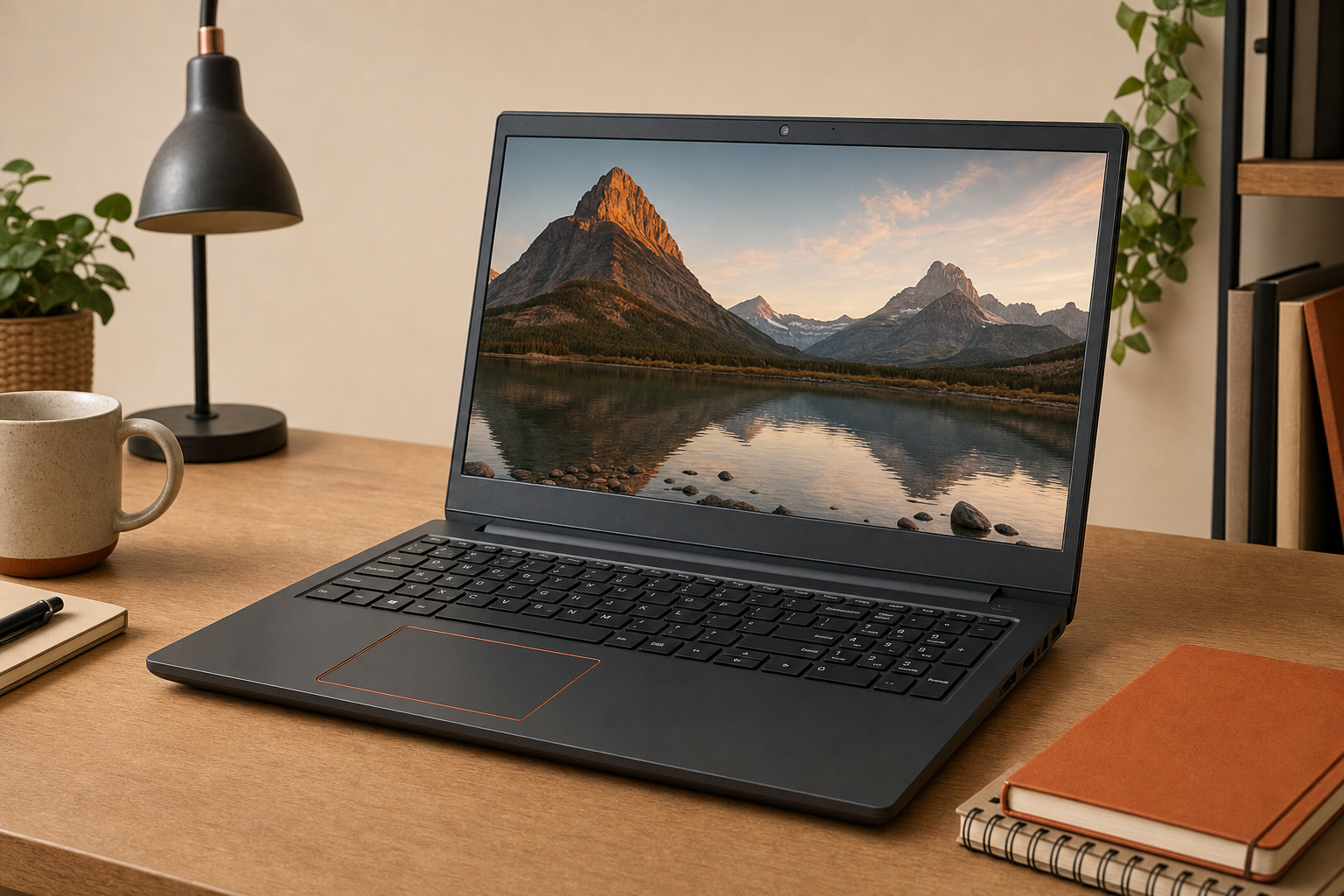
If you are looking at this Dell because you want a basic 15.6-inch Windows laptop without paying for more power than you need, the main question is simple: will a Ryzen 3 configuration feel adequate for your real workload, or will it become limiting too quickly?
Based on the evidence available for this model class, the safest takeaway is that the Dell Inspiron 15 Ryzen 3 makes the most sense for everyday computing: web browsing, schoolwork, documents, streaming, video calls, and routine home-office tasks. The bigger buying risk is not that it cannot do those jobs at all, but that buyers sometimes expect a Ryzen 3 budget laptop to behave like the next step up. That is where disappointment usually starts.
Quick Answer
Research summary
This is a RESEARCH-BASED REVIEW, not a first-hand test. For a buyer choosing between a budget 15-inch laptop and a faster midrange option, the Dell Inspiron 15 Ryzen 3 is most likely a sensible fit for basic productivity and media use, especially if your priority is getting a mainstream-size screen and Windows workflow rather than stronger multitasking or gaming performance.
The tradeoff is straightforward: a Ryzen 3 system should be fine for lighter work, but it is usually the point in the lineup where heavy multitasking, demanding apps, and gaming become the reasons to spend more.
The Product Shortlist may earn a commission from qualifying purchases. This does not affect our verdict.
What this laptop is likely good at
The strongest case for a Dell Inspiron 15 Ryzen 3 is practical, everyday use. That means the kind of workload many buyers actually have most days: several browser tabs, email, Office-style documents, streaming, online classes, and video calls.
That matters because a lot of budget-laptop reviews blur together entry-level and midrange expectations. A Ryzen 3 processor is part of the budget tier, but that does not automatically make it a bad buy. It can still be enough if your workload is stable and predictable.
- Students who mainly need writing, research, web apps, and video classes may find this class of laptop adequate.
- Home users who want a larger-screen Windows machine for browsing, bills, email, and streaming are the clearest fit.
- Light office users running common productivity apps rather than demanding creative software are also the likely audience.
The 15.6-inch format also tends to appeal to buyers who want a roomier screen and a full-size keyboard area for longer typing sessions. That is often more important in day-to-day comfort than buyers realize when comparing smaller budget laptops.
Where buyers should keep expectations in check
The most important limitation is performance headroom. A Ryzen 3 laptop can make sense when your tasks are basic, but it is also the kind of configuration where small increases in workload can change the experience from fine to frustrating.
In practical terms, that usually means you should be careful if you expect this system to handle any of the following comfortably over time:
- heavier multitasking with many apps and tabs open at once
- more demanding photo or video work
- serious gaming expectations
- buying once and keeping the laptop useful for heavier needs later
This is also where many shoppers ask whether the Dell Inspiron 15 Ryzen 3 is worth it versus spending more on a Ryzen 5 model. Editorially, that is the clearest decision threshold here: if your workload regularly stretches beyond schoolwork, streaming, documents, and routine productivity, stepping up in processor class is usually the more sensible long-term buy.
That does not mean this Dell is automatically poor value. It means value depends on buying the right amount of laptop for the job instead of buying the cheapest configuration and hoping it grows with your needs.
Who this makes sense for
Best fit
- Buyers who mainly need a laptop for browsing, documents, streaming, and video calls
- Students with standard coursework rather than demanding technical or creative workloads
- Shoppers who prefer a 15.6-inch screen over a smaller, more portable system
- People who understand this is an entry-level performance tier and are comfortable with that tradeoff
Probably worth spending more if you need:
- better multitasking margin
- stronger performance for longer-term use
- a more credible casual-gaming starting point
- more confidence under heavier daily workloads
Who should skip it
You should probably skip the Dell Inspiron 15 Ryzen 3 if your buying logic includes phrases like just in case, I want it to last for everything, or I might do some gaming and editing too. Those are usually signs that you are already outside the safest use case for an entry-level Ryzen 3 laptop.
More specifically, this is not the smartest place to save money if you:
- want a system for heavier multitasking every day
- care about gaming beyond light or casual expectations
- plan to run demanding creative, technical, or specialized software
- would be frustrated by slowdowns as your workload grows
If that sounds like you, moving up the stack is usually the better decision than trying to force a budget configuration into a bigger role.
Research-based review: what we can and cannot confirm
Because this is a RESEARCH-BASED REVIEW, transparency matters more than pretending certainty. The product information provided for this assignment identifies the model and buying intent, but it does not include a verified Dell spec sheet, support documentation, or third-party test data for the exact configuration tied to this listing.
So here is what we can say with confidence, and what we cannot:
| Reasonably supported | Not confirmed here |
|---|---|
| Ryzen 3 places this in the entry-level performance class | Exact RAM and storage configuration |
| 15.6-inch size suits mainstream home, school, and desk use | Display resolution, brightness, and color quality |
| Basic productivity and media use are the most likely fit | Battery life, fan noise, thermals, or gaming results |
| Spending more is sensible for heavier workloads | Port selection, wireless standards, charger details, dimensions, and upgradeability |
That limitation is important because Inspiron configurations can vary. Many weak reviews treat a product family as if every listing shares the same memory, storage, screen, and expansion options. Buyers should not assume that.
If you are close to buying, the practical next step is to confirm the exact configuration details on the retailer page and Dell documentation before deciding how good the value really is.
Bottom line
The Dell Inspiron 15 Ryzen 3 looks most defensible as a basic-use laptop, not a do-everything bargain. If your needs are simple and you want a mainstream-size Windows machine for school, browsing, streaming, and routine work, it may be enough.
If you already suspect you need stronger multitasking, better longevity under heavier use, or meaningful gaming capability, this is exactly the kind of laptop where spending more upfront is usually the smarter move.
If you are also comparing Dell displays for a desk setup, our Dell 27 Plus 4K Monitor S2725QS review and Dell 34 Plus USB-C Curved Monitor review may help if you are building a more comfortable home-study or home-office setup around a laptop.
FAQ
Is the Dell Inspiron 15 Ryzen 3 good for everyday use?
Probably yes, if your everyday use means browsing, email, documents, streaming, and video calls. That is the clearest use case for an entry-level 15.6-inch Ryzen 3 laptop.
Is the Dell Inspiron 15 Ryzen 3 good for students?
It can be a reasonable student laptop for writing, research, online classes, and standard school apps. Students in more demanding programs may be better served by a faster configuration.
Can the Dell Inspiron 15 Ryzen 3 handle Zoom, Chrome, and Microsoft Office at the same time?
That is the kind of workload this class of laptop is generally meant for. The caution is not basic multitasking itself, but how smoothly the system holds up if your configuration is modest and your tab or app count gets heavy.
Is the Dell Inspiron 15 Ryzen 3 good for gaming?
You should not buy it with strong gaming expectations. The safer assumption is that gaming is a weak point compared with laptops further up the stack.
How fast is the Dell Inspiron 15 Ryzen 3 compared with Ryzen 5 laptops?
The practical answer is that Ryzen 5 is typically the better fit for buyers who want more multitasking margin and better long-term flexibility. A Ryzen 3 model is usually the value choice only when your workload is clearly basic.
Does the Dell Inspiron 15 Ryzen 3 have upgradeable RAM or storage?
That is not confirmed in the evidence provided here. Inspiron configurations can differ, so check the exact Dell documentation or the exact retailer listing for this specific model before assuming upgrade options.
Is the display on the Dell Inspiron 15 good enough for streaming and schoolwork?
The 15.6-inch size is a plus for schoolwork and streaming, but we do not have verified display specifications or testing for this exact configuration here. Size and display quality are not the same thing, so confirm the panel details before buying.
How long does the battery last on the Dell Inspiron 15 Ryzen 3?
Battery life is not verified in the supplied evidence, so it would be irresponsible to give a number. Check Dell documentation or a reputable third-party test for the exact configuration if battery life is a deciding factor.
Who should buy the Dell Inspiron 15 Ryzen 3 and who should skip it?
Buy it if you want a basic 15.6-inch Windows laptop for everyday tasks and understand the limits of entry-level performance. Skip it if you expect stronger gaming, heavier multitasking, or more demanding software use.