Skip to content
 Anker USB-C Hub 5-in-1 Laptop Docking Station Review: Is It Worth It?
Quick Answer
The Anker USB-C Hub 5-in-1 (model A8355011) is a compact hub that adds HDMI output, two USB-A ports, USB-C power delivery passthrough, and a combined SD/microSD card reader to a single USB-C port on your laptop. It is priced and sized for people who need a portable, low-friction way to connect a monitor, a few peripherals, and a card reader without carrying a larger dock. It is not a substitute for a full docking station if you need multiple displays, high-wattage charging, or Ethernet. Check price on Amazon.
What This Hub Actually Does
This is a RESEARCH-BASED REVIEW. No unit was tested in-house. All analysis draws from Anker’s published specifications, product documentation, and editorial reasoning about how the port combination performs in real buyer scenarios. Where manufacturer data is absent or ambiguous, that is stated directly.
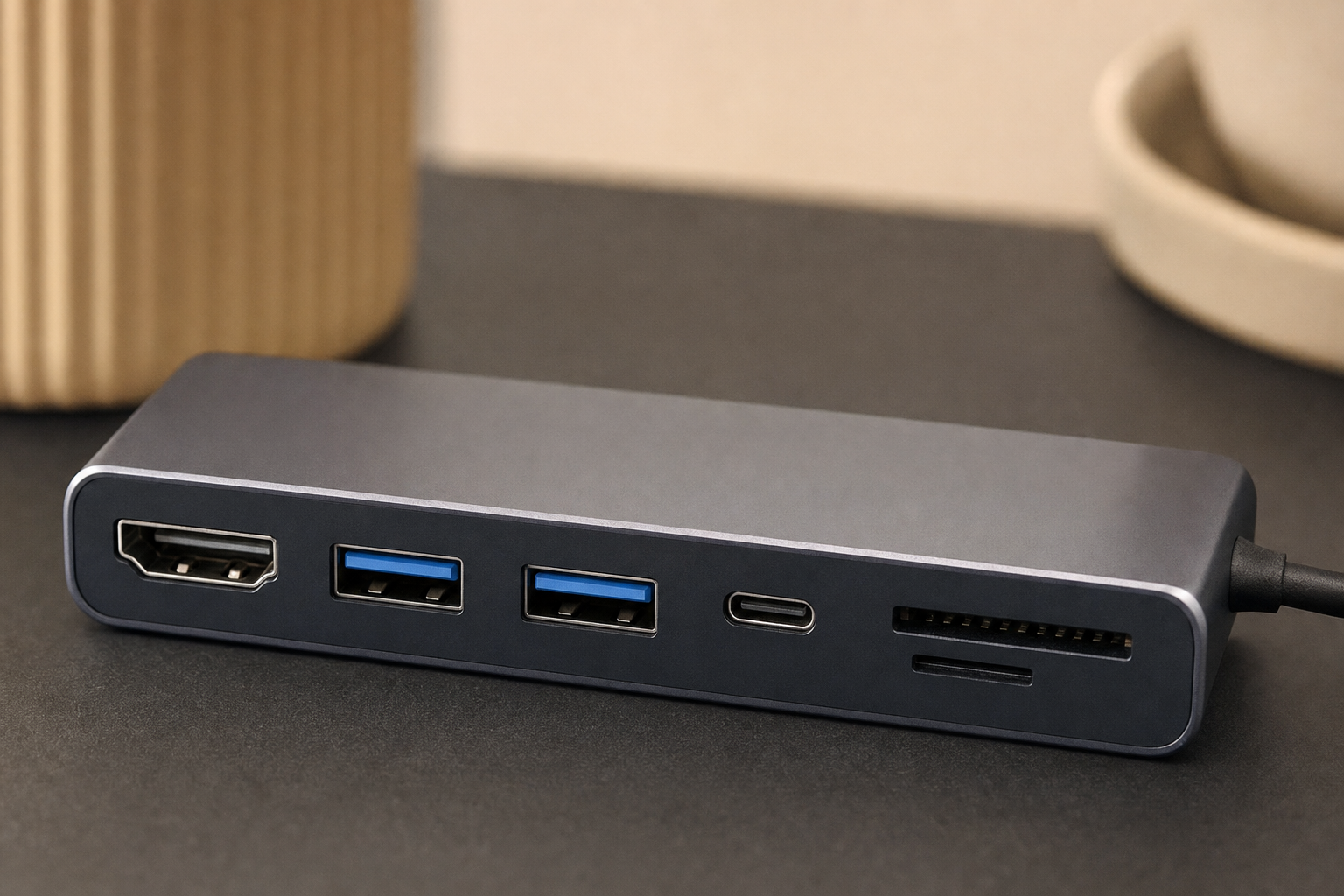
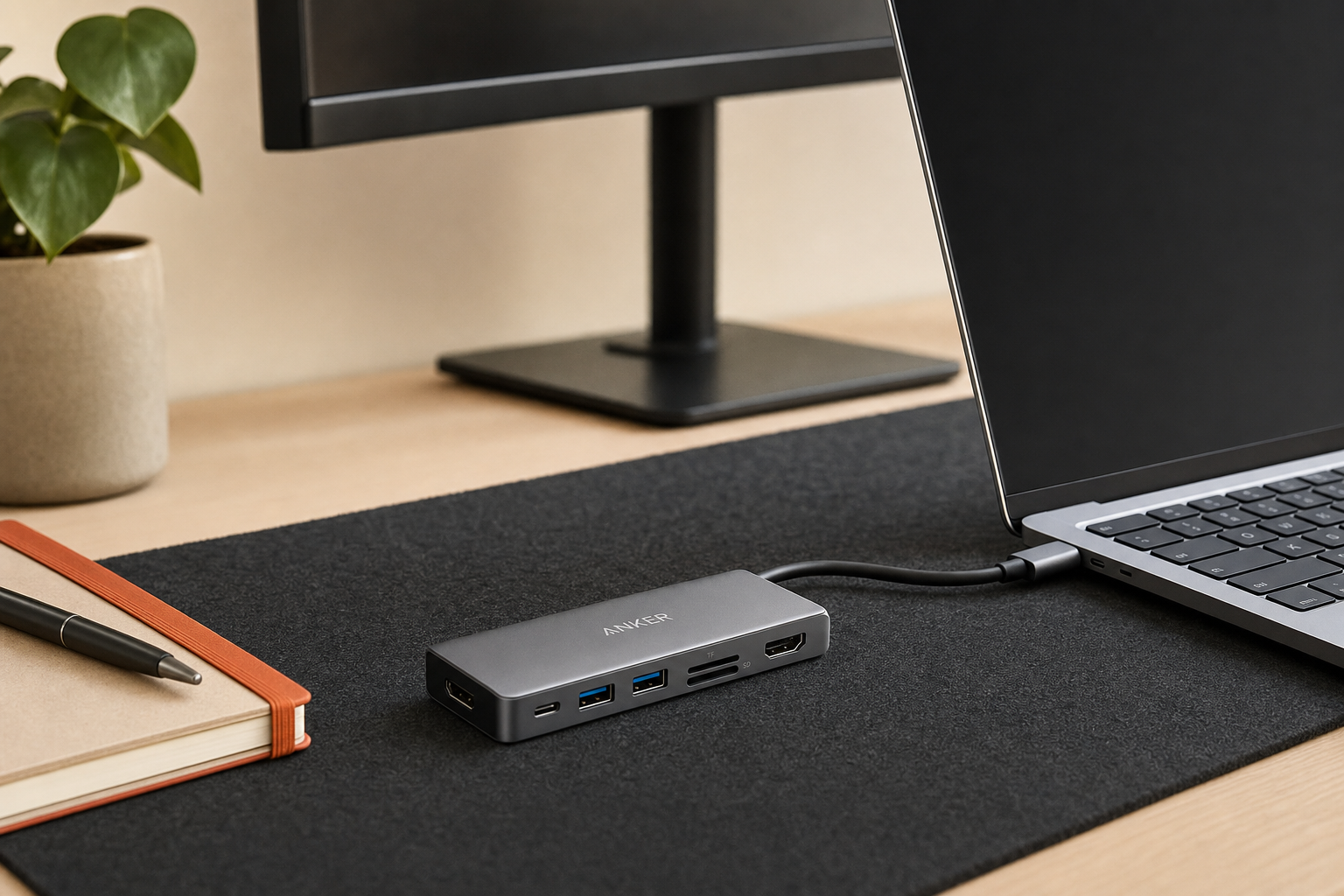
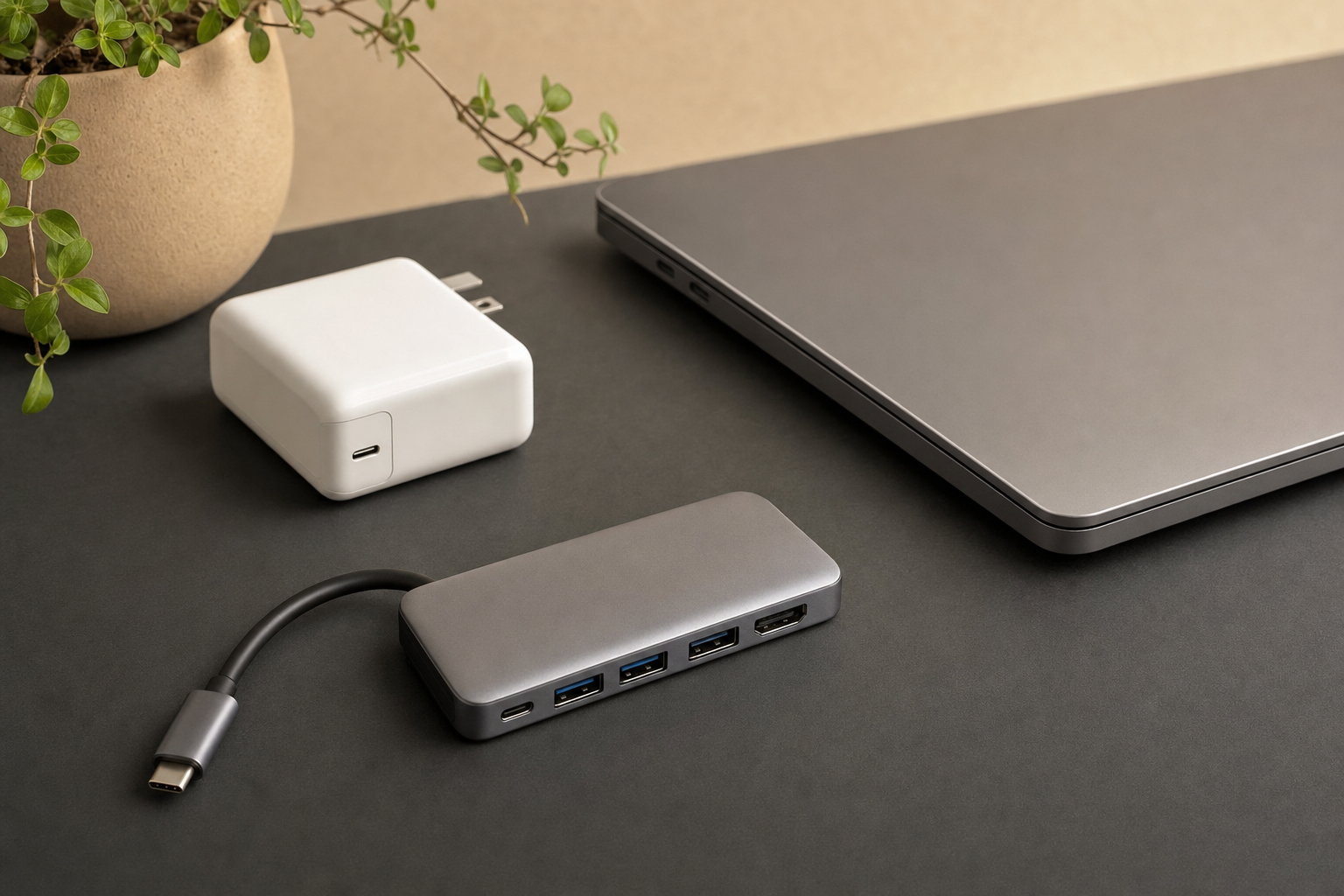
The A8355011 connects to your laptop via a fixed USB-C cable — there is no separate cable to lose. From that single connection, it distributes five ports: one HDMI output, two USB-A data ports, one USB-C port for power delivery passthrough, and a dual-slot card reader that accepts SD and microSD. That is the complete feature set. Nothing is hidden, and nothing is missing from that list that the product claims to include.
The name on the box says “Laptop Docking Station,” which is a stretch. A docking station typically implies Ethernet, multiple display outputs, higher-wattage charging, and a more permanent desk presence. This product is a hub — a compact one — and evaluating it as such produces a much more accurate picture of whether it fits your situation.
Port Breakdown: What Five Ports Gets You
Five ports sounds modest, and it is. But the combination is deliberately chosen for a specific user: someone with a modern slim laptop that has one or two USB-C ports and needs to connect a monitor, a mouse or keyboard, a USB drive, a charger, and occasionally a camera card. Here is what each port contributes in practice:
- HDMI: Connects one external monitor. We have not confirmed the maximum resolution and refresh rate — check Anker’s listing for the 4K or 1080p ceiling before buying if display quality matters to you.
- USB-A × 2: Standard data ports. Useful for a wired mouse, a USB-A flash drive, or a keyboard dongle. Data transfer speeds should be verified against Anker’s published spec — whether these are USB 3.0 (5 Gbps) or USB 2.0 affects how useful they are for external drives.
- USB-C (power delivery passthrough): Allows you to plug your laptop charger into the hub rather than directly into the laptop, keeping your laptop’s USB-C port free for the hub itself. The passthrough wattage ceiling matters here, and it is not published. Hubs in this class commonly cap at 85W or 100W, which may or may not be enough for a high-performance laptop.
- SD + microSD card reader: Both slots are present. Whether they operate simultaneously or share bandwidth is addressed in the card reader section below.
Charging Passthrough: What to Expect
Power delivery passthrough on a hub like this is a convenience feature, not a performance feature. You are routing your charger’s power through the hub to the laptop, which introduces a small overhead. Most hubs in this category pass through slightly less wattage than the charger delivers. If your laptop requires 96W or more to charge at full speed under load — common with larger MacBook Pro models or gaming-adjacent Windows laptops — you should verify the A8355011’s passthrough ceiling against your laptop’s charging requirement before assuming it will keep up. For MacBook Air, MacBook Pro 13-inch, and most mid-range Windows ultrabooks, passthrough charging at this hub’s likely wattage range is generally adequate. The exact passthrough wattage is on Anker’s current product page; we have not verified it.
Display Support: One Monitor, One Limitation
The single HDMI port means one external display. That is the ceiling. If your workflow involves two monitors — a common setup for developers, writers who reference source material, or anyone running a split-screen desktop — this hub does not solve that problem. You would need a hub or dock with dual HDMI, DisplayPort, or a combination output, which typically means a larger and more expensive product.
For users who want one external monitor at their desk and then pack the hub into a bag for travel, the single HDMI output is a reasonable tradeoff. It keeps the hub small and the price accessible. The limitation only becomes a problem if you misread the product as a full desktop replacement.
MacBook users should note that Apple Silicon Macs have display output restrictions tied to the chip, not just the hub. M1 and M2 MacBook Air models, for example, support only one external display natively regardless of what hub or adapter you use. The A8355011’s single HDMI port aligns with that constraint rather than fighting it. MacBook Pro users with M-series chips generally have more flexibility. Some Mac models carry display-output restrictions that affect hub compatibility — check yours before buying.
Card Reader Reality
The dual SD and microSD slots are genuinely useful for photographers, videographers, and anyone who pulls footage from cameras or drones. Having both slots on the same hub means you can transfer from a full-size SD card and a microSD simultaneously — or at least have both inserted without swapping. Whether the two slots share a single USB controller — which would split bandwidth between them — or run on separate channels is not stated in Anker’s documentation. For casual photo transfers, shared bandwidth is unlikely to matter. For high-volume video file transfers where speed is a priority, it is worth checking.
Build, Cable, and Portability
The fixed cable design is a deliberate choice. It removes one failure point — a loose or lost cable — and makes the hub faster to deploy. The tradeoff is that if the cable is damaged, the hub is effectively unusable. Anker’s build quality in this product category is generally consistent with a mid-tier accessory brand: not premium aluminum construction, but not flimsy plastic either. The compact footprint is the main physical advantage. This hub is small enough to drop into a laptop bag pocket without planning around it.
Heat during sustained use — running a monitor, two USB-A devices, and passthrough charging simultaneously — is a reasonable concern with any compact hub. Passive cooling (no fan) is standard at this size. Whether the A8355011 runs warm under full load is not something we have verified, but it is worth watching if you plan long sessions on a surface that traps heat.
Who Should Buy It
- Laptop users who need one monitor, one or two USB-A devices, and occasional card transfers — this hub covers that scenario without excess.
- Travelers or hybrid workers who want a single small accessory that handles a hotel-room or co-working desk setup without carrying a full dock.
- MacBook Air users whose chip already limits them to one external display — the port selection matches the constraint.
- People with a single USB-C port laptop who need to reclaim that port for charging while still connecting peripherals.
Who Should Skip It
- Dual-monitor users. One HDMI port is a hard ceiling.
- Users with high-wattage charging needs who cannot confirm the passthrough wattage meets their laptop’s requirement.
- Anyone needing Ethernet. There is no network port here.
- Power users who want a permanent desk dock with more than five ports, dedicated audio, or multiple display outputs.
- Users who need USB-C data ports beyond the passthrough charging port — the A8355011 does not appear to include a USB-C data output, though we have not confirmed that directly.
Price and Value
The A8355011 sits in a competitive price band for compact USB-C hubs. Check price on Amazon before drawing conclusions — hub pricing in this category shifts frequently. At its typical price point, it competes with generic five-in-one hubs from lesser-known brands and with slightly larger hubs from Anker’s own lineup that add Ethernet or additional USB ports. The Anker brand carries a reasonable expectation of consistent build quality and accessible customer support compared to unbranded alternatives, which is a real but modest premium justification.
Value is strong if the five ports match your actual needs. Value is poor if you buy it hoping it will do more than it does.
Realistic Alternatives
If the A8355011’s port selection is close but not quite right, the alternatives worth considering fall into two directions:
- More ports, same compact form: Anker and competitors offer seven-in-one and nine-in-one hubs that add Ethernet and additional USB ports at a modest price increase. These are still travel-friendly but slightly larger.
- True docking station: If you need dual displays, high-wattage charging, and Ethernet at a permanent desk, a full dock from Anker, CalDigit, or similar brands is the appropriate product category — at a significantly higher price.
| Feature | Anker A8355011 (5-in-1) | Typical 7-in-1 Hub | Full Docking Station |
|---|---|---|---|
| External displays | 1 (HDMI) | 1 (HDMI) | 2+ (HDMI/DP) |
| USB-A ports | 2 | 2–3 | 4+ |
| Ethernet | No | Often yes | Yes |
| Card reader | SD + microSD | SD + microSD | Varies |
| PD passthrough | Yes | Yes | Yes (higher W) |
| Portability | High | Medium-high | Low |
| Price tier | Low-mid | Mid | High |
Frequently Asked Questions
Is the Anker USB-C Hub 5-in-1 worth it?
For users whose needs match the five ports — one HDMI monitor, two USB-A devices, power delivery passthrough, and SD/microSD card reading — yes. It is a focused, portable product at a reasonable price. If you need Ethernet, dual displays, or more ports, it is not worth it because it cannot deliver those things regardless of price.
What ports does the Anker A8355011 include?
One HDMI output, two USB-A data ports, one USB-C power delivery passthrough port, and a dual-slot card reader with SD and microSD. Five ports total via a fixed USB-C cable connection to your laptop.
Can this Anker USB-C hub charge a laptop while in use?
Yes, via the USB-C power delivery passthrough port. You plug your charger into the hub, and the hub passes power to your laptop. The exact wattage ceiling is not published here — check Anker’s current product page to confirm it meets your laptop’s charging requirement, particularly for larger machines.
Does the Anker 5-in-1 hub support an external monitor over HDMI?
Yes, one external monitor via the HDMI port. Maximum resolution and refresh rate should be confirmed on Anker’s product page before purchase if display quality is a priority. Dual-monitor setups are not supported.
Is the Anker USB-C Hub 5-in-1 good for MacBook users?
It is a reasonable fit for MacBook Air users, whose M-series chips already limit them to one external display. MacBook Pro users with more display flexibility may find the single HDMI port limiting. Compatibility with your specific Mac model should be verified, particularly around display output and power delivery requirements.
What is the difference between a USB-C hub and a docking station?
A hub expands a single USB-C port into several ports, typically in a compact and portable form. A docking station is a larger, more permanent device that usually adds Ethernet, multiple display outputs, higher-wattage charging, and more ports. The A8355011 is a hub. Its “Laptop Docking Station” label in the product name is a marketing description, not a technical one.
Does the Anker A8355011 support SD and microSD cards at the same time?
Both slots are physically present. Whether they run simultaneously with independent bandwidth or share a single controller is not stated in Anker’s documentation. For casual transfers, this distinction is unlikely to matter. For high-speed video file work, it is worth confirming.
Who should buy the Anker USB-C Hub 5-in-1 and who should skip it?
Buy it if you need one monitor, one or two USB-A peripherals, passthrough charging, and card reading from a compact hub you can carry anywhere. Skip it if you need dual monitors, Ethernet, high-wattage charging confirmation, or more than five ports total.
Final Verdict
The Anker USB-C Hub 5-in-1 (A8355011) is a competent, honest product when you read it for what it is: a compact hub that adds five useful ports to a single USB-C laptop connection. The port selection — HDMI, two USB-A, power delivery passthrough, SD and microSD — covers the most common expansion needs of a slim laptop user who wants one monitor and a few peripherals without carrying a large dock.
The limitations are real and worth stating plainly: one display only, no Ethernet, passthrough wattage that needs verification for high-demand laptops, and a fixed cable that cannot be replaced if damaged. None of these are flaws in the context of what this product is designed to do. They become problems only when the buyer expects a full docking station and gets a travel hub instead.
If your port needs match the five on offer, this is a straightforward buy. If they do not, no amount of compact design or brand reputation changes that math. Check price on Amazon and compare it against your specific laptop’s charging and display requirements before committing.