Skip to content
 Amazon eero 6 Mesh Wi-Fi System, 3-Pack Review: Is It Worth It?
Most router reviews tell you a mesh system is easy to set up and covers your whole home. That is not especially useful when you are trying to decide whether a specific 3-pack at a specific price actually fits your house, your internet plan, and your real-world expectations. This RESEARCH-BASED REVIEW of the Amazon eero 6 Mesh Wi-Fi System 3-Pack focuses on the questions that actually matter at the decision stage: who benefits from three nodes, when dual-band Wi-Fi 6 becomes a limiting factor, and when you should spend less — or more — instead.
The Product Shortlist may earn a commission from qualifying purchases. This does not affect our verdict.
Quick Answer
The eero 6 3-Pack is a well-designed, genuinely easy-to-use mesh Wi-Fi system that solves a real problem: dead zones and inconsistent coverage in multi-room or multi-story homes. Its Wi-Fi 6 support, clean app, and plug-and-play setup make it accessible to non-technical buyers. The meaningful limitations are its dual-band architecture (which constrains backhaul performance in larger homes) and its inability to fully exploit gigabit internet plans when nodes are daisy-chained. If your home is under roughly 5,000 square feet, your internet plan tops out around 500 Mbps, and you want a low-friction replacement for a router-plus-extender setup, this 3-pack earns its place. If you have a gigabit plan and a large home, you will likely want a tri-band mesh system instead.
Best For
- Homes roughly 1,500–5,000 sq ft with multiple floors or thick walls
- Households replacing a router-plus-extender setup that causes dropped connections
- Internet plans up to approximately 500 Mbps where full gigabit throughput is not the priority
- Buyers who want minimal configuration and a clean app experience
- Smart home users with many connected devices (Wi-Fi 6 handles device density well)
Avoid If
- You have a gigabit or multi-gigabit internet plan and want to use that full speed across the whole home
- Your home exceeds roughly 5,500 sq ft and requires more than three nodes to cover it adequately
- You need advanced networking features: VLANs, detailed QoS controls, or custom DNS without a subscription
- You live in a studio or small apartment where a single capable router is sufficient and cheaper
- You want a wired backhaul option — the eero 6 supports ethernet backhaul, but the value of the 3-pack diminishes if you are running cable anyway and could buy a more capable system
What the eero 6 3-Pack Actually Is
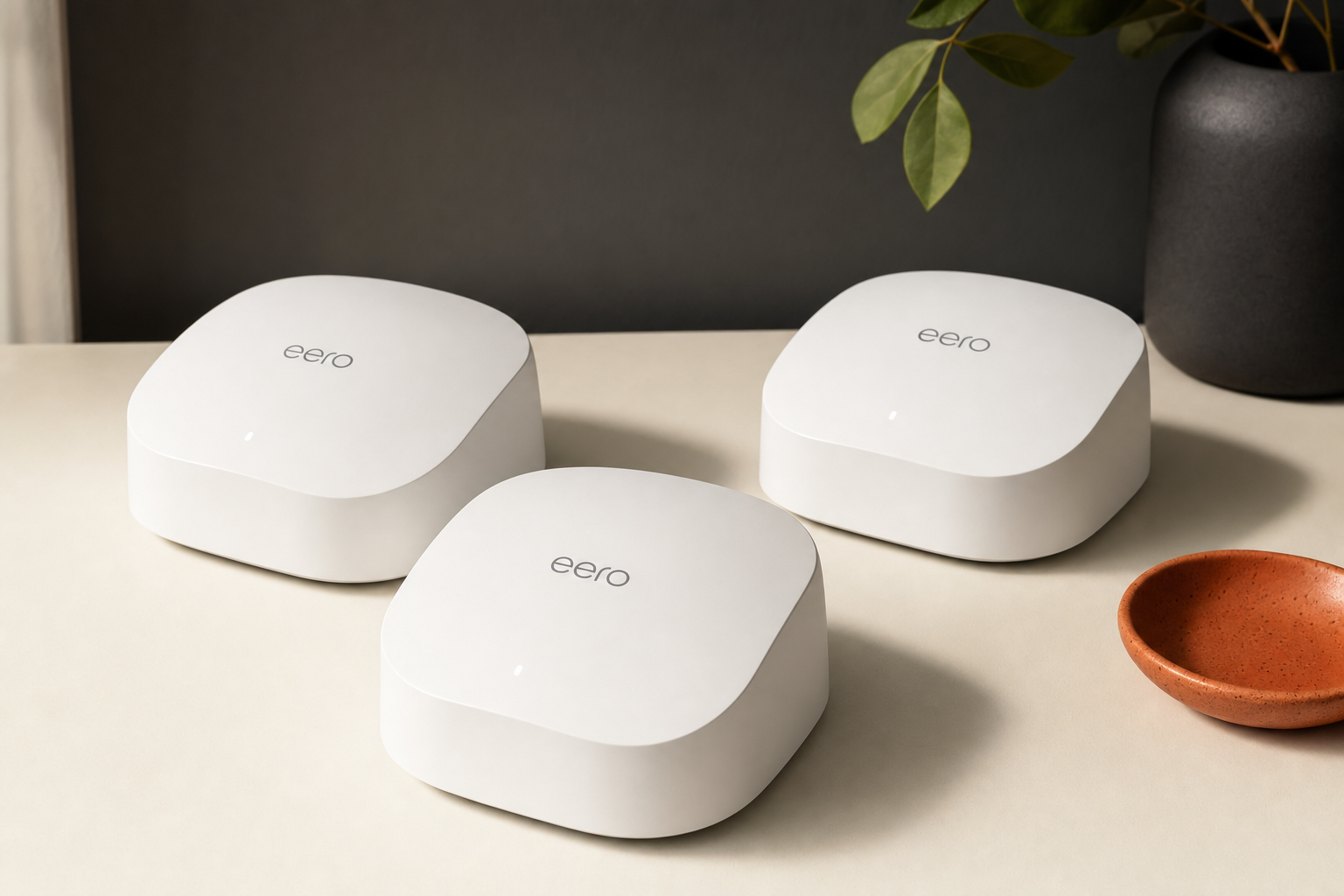
The eero 6 is a dual-band Wi-Fi 6 (802.11ax) mesh system. Each unit functions as both a router and a node — one connects to your modem, the others extend coverage wirelessly or via ethernet backhaul. The 3-pack is designed to replace both your existing router and any range extenders you may be using, creating a single unified network rather than separate SSIDs you have to manually switch between.
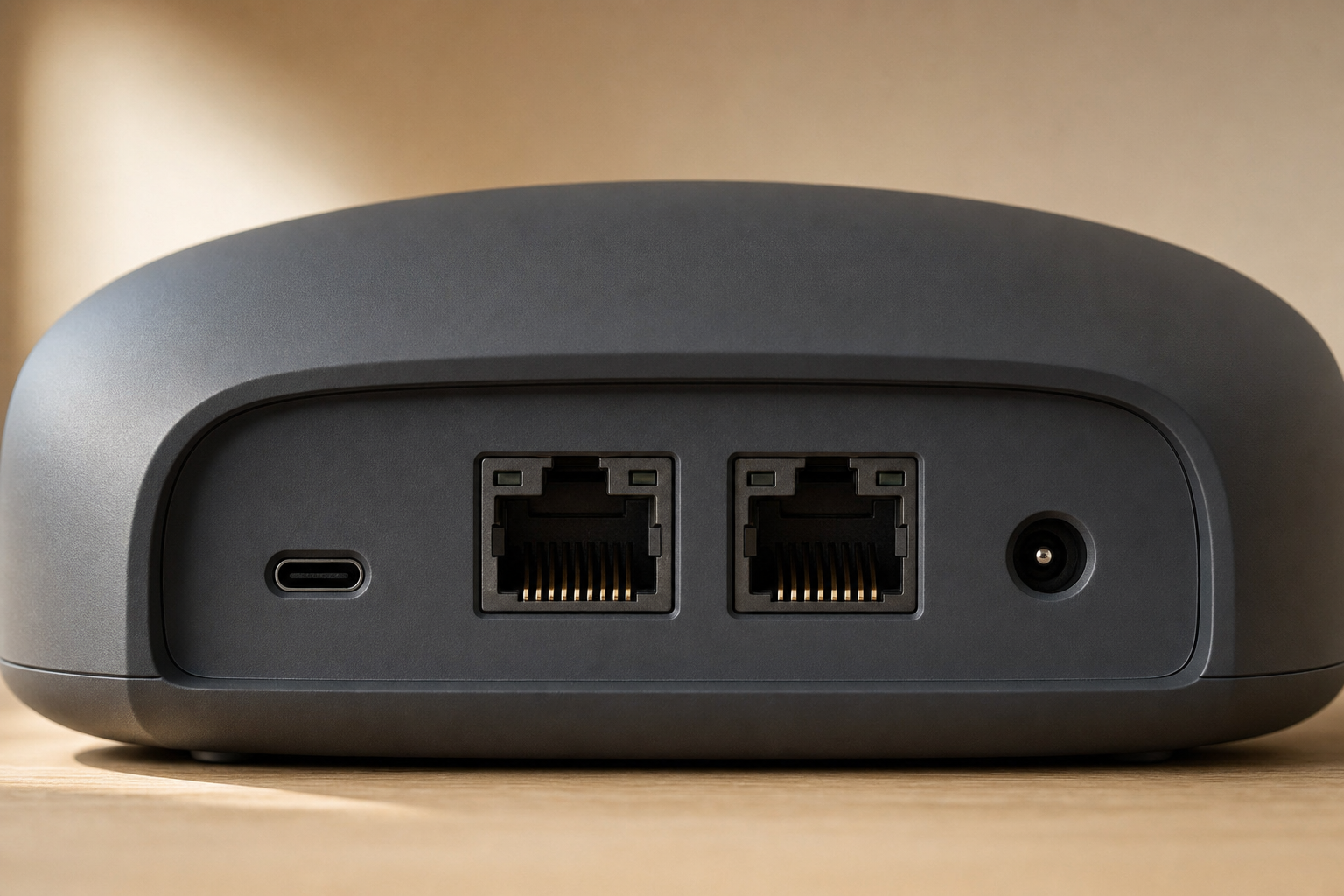
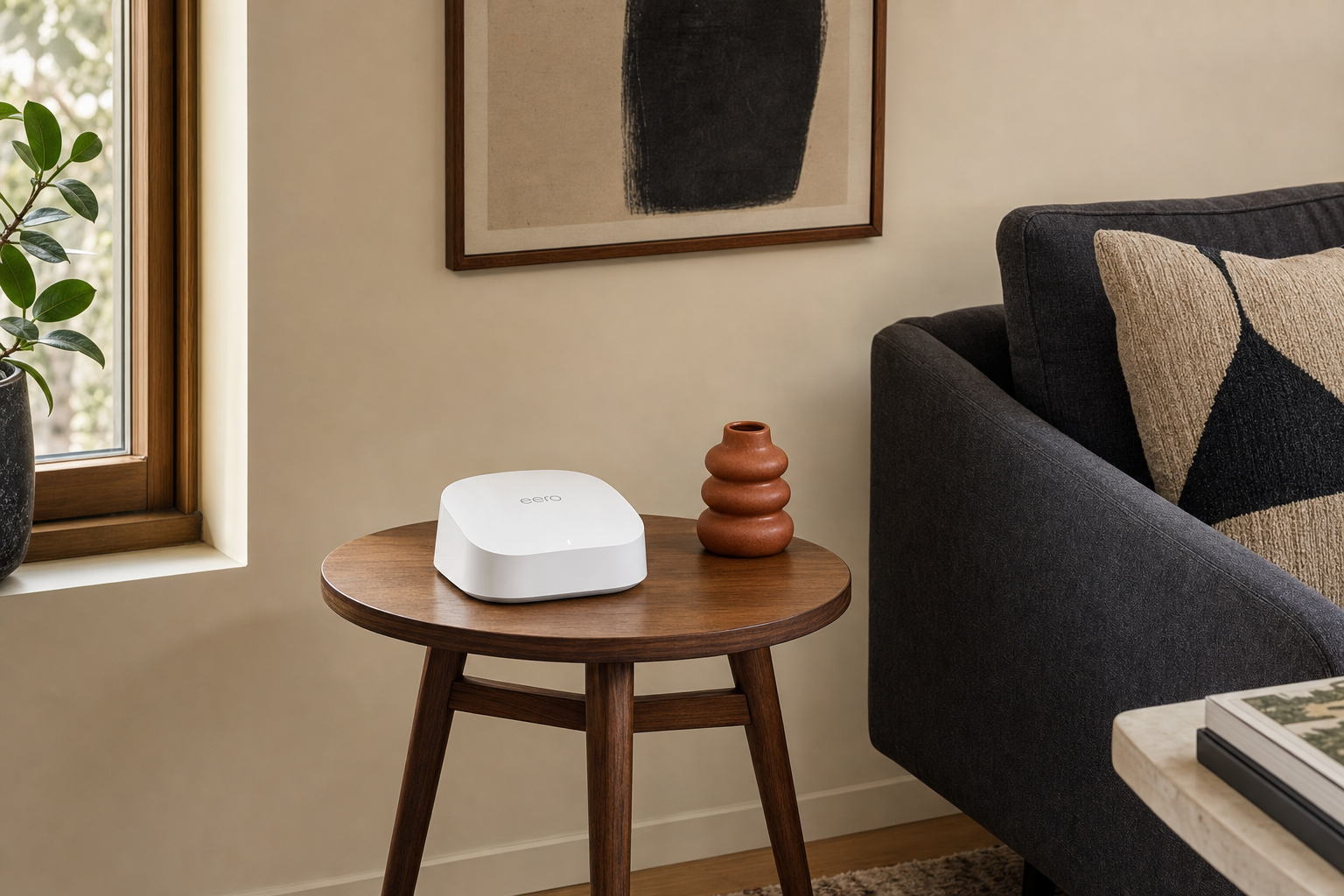
Each eero 6 unit has two ethernet ports (one WAN, one LAN), which is enough for wired connections to a desktop or smart TV at each node location. The units are compact and unobtrusive — closer in size to a thick paperback than a traditional router. Setup is handled entirely through the eero app rather than a browser-based interface.
Amazon owns eero, and the system integrates with Alexa for basic voice controls. It also supports Thread, a low-power mesh protocol used by some smart home devices, which is a practical differentiator for households with a growing number of smart home hardware.
Coverage: What the Specs Mean in Practice
Amazon states the eero 6 3-pack covers up to 5,000 square feet. That figure deserves scrutiny. Manufacturer coverage estimates are typically measured in open, unobstructed conditions. Real homes have walls, floors, appliances, and furniture that reduce effective range. A more realistic working estimate for a typical home with standard construction is somewhere in the 3,500–4,500 sq ft range for reliable coverage, though your floor plan and building materials will move that number in either direction.
What the 3-pack does well is address the specific failure mode of single-router setups: signal degradation at distance and through obstacles. By placing nodes strategically — one per floor in a two-story home, or one at each end of a long ranch-style layout — you eliminate the dead zones that a single router cannot reach without a significant drop in signal quality. This is the core job the product is designed to do, and it does it reliably for homes in the intended size range.
Node placement matters more than most buyers realize. Each node should ideally be within reasonable wireless range of the next — placing them too far apart forces the mesh to work harder and degrades performance. The eero app provides placement guidance during setup, which helps, but it cannot account for every structural variable in your home.
Speed Tradeoffs: Dual-Band Wi-Fi 6 and Node Hops
This is the most important technical limitation to understand before buying. The eero 6 is dual-band, meaning it operates on 2.4 GHz and 5 GHz bands. In a mesh system, the wireless backhaul — the connection between nodes — shares those same bands with your devices. This is called a shared backhaul, and it means that as traffic passes through each additional node hop, available bandwidth decreases.
In practical terms: a device connected to the third node in a wireless chain will see meaningfully lower throughput than a device connected directly to the primary node. For typical web browsing, video streaming, and video calls, this degradation is unlikely to be noticeable. For high-bandwidth activities — 4K streaming to multiple devices simultaneously, large file transfers, or online gaming with latency sensitivity — the speed loss across hops becomes more relevant.
Tri-band mesh systems address this by dedicating a third band exclusively to backhaul traffic, keeping device-facing bands clear. The eero 6 does not do this. If your household has heavy simultaneous demands across multiple rooms, a tri-band system is a more appropriate fit. If your usage is moderate and your internet plan is under 500 Mbps, the dual-band limitation is unlikely to be a practical problem day-to-day.
Ethernet backhaul — running a cable between nodes — eliminates the wireless backhaul bottleneck entirely. If you can run ethernet between floors or rooms, the eero 6 supports this and performance improves substantially. However, if you are willing to run ethernet, it is worth comparing the eero 6 against tri-band alternatives at similar price points before committing.
Setup and App Experience
Setup is genuinely straightforward. The eero app walks you through connecting the primary node to your modem, then adding subsequent nodes one at a time. The process does not require any technical knowledge, and the app provides placement suggestions based on signal strength. For most users, the entire setup takes under 20 minutes.
The app handles firmware updates automatically, which is a security and convenience benefit — you do not need to remember to update manually. Network management through the app covers the basics: device visibility, guest network creation, parental controls (some features require the eero Plus subscription), and speed test access.
The tradeoff for this simplicity is limited advanced configuration. Power users who want granular control over band steering, detailed traffic prioritization, or custom routing rules will find the eero app restrictive. This is a deliberate design choice — the eero 6 is built for households that want Wi-Fi to work without ongoing management, not for network enthusiasts.
Subscription Upsell: eero Plus
Amazon offers eero Plus, a paid subscription that adds features including advanced parental controls, content filtering, and ad blocking. Some of these features — particularly the more detailed parental controls — are locked behind the subscription on the eero 6. This is worth knowing before purchase if parental controls are a primary reason you are buying a new router system. The core networking functionality works without a subscription; the upsell affects software features, not coverage or speed.
Price and Value
The eero 6 3-pack sits in the mid-range of the mesh Wi-Fi market. It is priced above basic single-router upgrades and below premium tri-band mesh systems. Whether that price is justified depends on your situation:
- Replacing a router plus one or two extenders: The 3-pack likely costs less than a comparable tri-band mesh system and solves the core problem — a unified network without manual band switching — at a reasonable price point.
- Upgrading from a single router in a small home: A single eero 6 or a competing single-unit Wi-Fi 6 router may be sufficient and cheaper. The 3-pack is not the right tool for a 900 sq ft apartment.
- Competing with gigabit-optimized tri-band systems: If throughput across the full home is the priority, spending more on a tri-band system is likely the better long-term decision.
Check price on Amazon to compare against current alternatives before deciding.
Realistic Alternatives
Single Wi-Fi 6 router (e.g., TP-Link Archer AX series): If your home is under 2,000 sq ft and your dead zones are minor, a strong single router is cheaper and avoids the backhaul tradeoff entirely. Not appropriate for multi-story homes with significant coverage gaps.
Tri-band mesh systems (e.g., eero Pro 6E, TP-Link Deco XE75): Better choice for gigabit plans, homes over 4,000 sq ft, or households with heavy simultaneous bandwidth demands. Meaningfully more expensive. If budget allows and your use case fits, the performance ceiling is higher.
Single eero 6 or eero 6+: If you only need to extend coverage modestly — one additional room or a garage — a single additional node added to an existing setup may be sufficient. The 3-pack is the right choice when you need whole-home coverage from scratch.
At a Glance
| Factor | eero 6 3-Pack | Strong Single Router | Tri-Band Mesh |
|---|---|---|---|
| Coverage (typical home) | Up to ~5,000 sq ft (claimed) | Up to ~2,500 sq ft | Up to ~7,500 sq ft (varies) |
| Backhaul type | Dual-band shared / ethernet optional | N/A | Dedicated third band |
| Gigabit plan suitability | Partial (speed loss across hops) | Good (single point) | Better |
| Setup complexity | Low (app-based) | Low to moderate | Low to moderate |
| Advanced config options | Limited | Moderate to high | Moderate |
| Price tier | Mid-range | Budget to mid | Mid to premium |
Frequently Asked Questions
Is the Amazon eero 6 Mesh Wi-Fi System 3-Pack worth it?
For homes in the 1,500–5,000 sq ft range with dead zones, multiple floors, or a router-plus-extender setup that causes dropped connections, yes — the 3-pack addresses those problems at a reasonable mid-range price. For small apartments or households with gigabit plans expecting full throughput across every room, it is not the best fit.
How much coverage does the eero 6 3-pack realistically provide?
Amazon claims up to 5,000 square feet. In real homes with walls, floors, and furniture, expect reliable coverage closer to 3,500–4,500 sq ft depending on construction. Node placement significantly affects this — the app provides guidance, but your specific layout matters.
Is eero 6 good for large or multi-story homes?
It handles multi-story homes well within its coverage range. For very large homes — above roughly 5,000 sq ft — you may need additional nodes or a system with a higher per-node range. The 3-pack is well-suited to two-story homes of typical size.
Does the eero 6 3-pack slow down speeds compared with a single router?
Devices connected to nodes further from the primary unit will see lower throughput due to the shared dual-band backhaul. For most everyday use — streaming, browsing, video calls — this is not a practical problem. For high-bandwidth simultaneous demands across multiple rooms, the speed reduction becomes more noticeable. Ethernet backhaul between nodes eliminates this issue.
Is eero 6 enough for gigabit internet?
The primary node connected directly to your modem can deliver speeds consistent with a gigabit plan to nearby devices. Devices connected through wireless node hops will see reduced speeds. If maximizing gigabit throughput across the whole home is the goal, a tri-band mesh system with a dedicated backhaul band is a better match.
How easy is the eero 6 setup process?
Setup is app-based and designed for non-technical users. Most households complete the process in under 20 minutes. The app guides node placement and handles configuration automatically. There is no browser-based interface to navigate.
Can the eero 6 replace a router and extenders?
Yes, and this is one of its strongest use cases. Unlike range extenders, which create separate networks you have to manually switch between, the eero 6 nodes form a single unified network. Your devices connect to whichever node offers the best signal automatically.
Who should skip the eero 6 3-pack?
Small apartment dwellers who only need one strong router, households with gigabit plans who want full throughput in every room, power users who need advanced network configuration, and anyone whose home exceeds the system’s realistic coverage range without adding more nodes.
Final Verdict
The Amazon eero 6 Mesh Wi-Fi System 3-Pack is a competent, well-executed solution for a specific and common problem: homes where a single router leaves dead zones and range extenders create a fragmented, frustrating experience. Its Wi-Fi 6 support handles device-dense households better than older standards, its setup is genuinely low-friction, and its unified network behavior is a meaningful improvement over extender setups.
The dual-band architecture is a real constraint, not a marketing footnote. If your internet plan is fast and you want that speed reliably in every corner of a large home, the eero 6 will disappoint at the edges of its wireless chain. That is not a flaw in the product’s design for its intended audience — it is a signal that you need a different product.
For the buyer this is built for — a mid-sized home, a moderate internet plan, and a desire for Wi-Fi that simply works without ongoing tinkering — the eero 6 3-pack is a reasonable, evidence-supported choice.
Check price on Amazon and compare it against current tri-band alternatives if your plan exceeds 500 Mbps or your home is at the upper end of the coverage range.