Skip to content
 Aurzen D1R Roku TV Smart Projector Review: Is It Worth It?
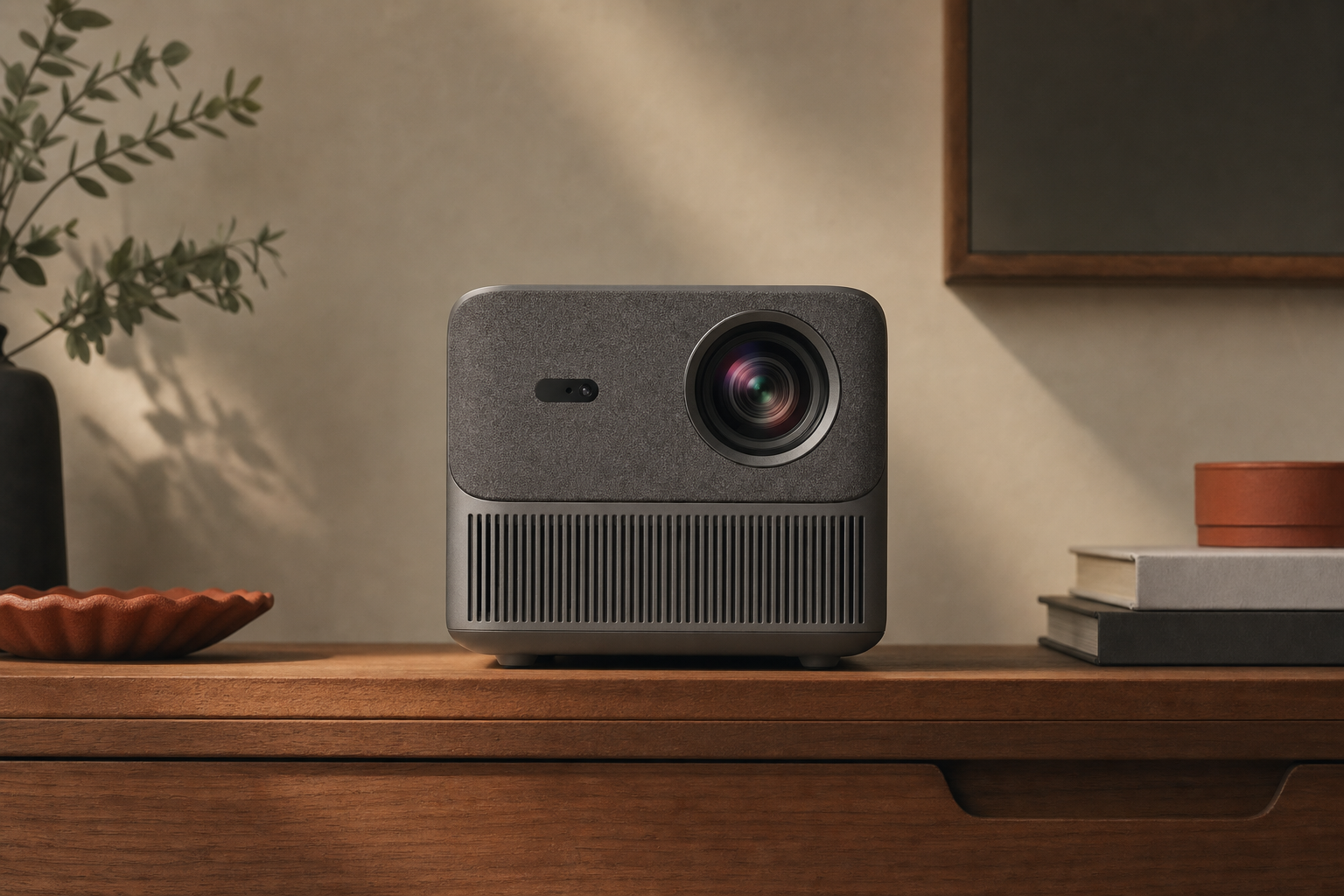
The Aurzen D1R positions itself as a projector that skips the dongle entirely. Roku TV is built directly into the hardware, so you power it on and land straight in a familiar streaming interface — no separate stick, no extra remote, no HDMI port consumed before you even start. That pitch is genuinely useful for casual movie watchers who want simplicity above all else.
But a projector’s main job is still to put a watchable image on a wall. Built-in Roku TV is only a meaningful advantage if the picture and audio hold up in the rooms where real people actually use it. This RESEARCH-BASED REVIEW translates the spec sheet into buyer reality: what the D1R does well, where it falls short, and who should — or should not — spend money on it.
Disclosure: The Product Shortlist may earn a commission from qualifying purchases. This does not affect our verdict.
Quick Answer
The Aurzen D1R earns its place for buyers who want a single-box streaming projector for bedroom or small living-room use in controlled light. The native Roku TV integration is a genuine convenience step up from a standard projector-plus-stick setup. The tradeoffs — limited brightness in ambient light, modest built-in audio, and fan noise that becomes noticeable in quiet scenes — are real and worth knowing before you buy. Check price on Amazon to see whether it fits your budget against the alternatives discussed below.
Best For / Avoid If
Best For
- Casual movie watchers using it in a darkened bedroom or small apartment
- Anyone who wants Roku’s app library without managing a separate streaming device
- Renters or students who want a portable, low-setup screen upgrade over a small TV
- Occasional outdoor movie nights after dark, where ambient light is low
Avoid If
- You plan to use it in a room with significant ambient light during the day
- You need strong built-in audio without a separate Bluetooth speaker
- You are a competitive or fast-paced gamer sensitive to input lag
- You want a primary living-room display that competes with a mid-range TV in brightness and color volume
What Built-In Roku TV Actually Changes
Most budget projectors ship as dumb displays. You add a Roku stick, Fire TV stick, or Apple TV separately, which costs extra money, occupies an HDMI port, and means two remotes or a pairing process. The D1R eliminates that entirely. Roku TV — the same platform found in Roku-branded televisions — runs natively on the hardware.
In practice this means the Roku home screen, the Roku remote (physical or app), and the full Roku channel store are available the moment the projector boots. Netflix, Disney+, Hulu, HBO Max, Amazon Prime Video, Apple TV+, and Roku’s own free ad-supported channels are all accessible through the standard Roku interface. We have not confirmed whether any app requires a separate subscription activation step on this hardware that it would not require on a Roku TV set.
The meaningful difference versus a dongle setup: one fewer device to power, one fewer remote to lose, and no HDMI port consumed by the streaming source. For casual users, that simplification is real. For power users who already own an Apple TV 4K or a gaming console they prefer for streaming, the built-in Roku becomes less of a selling point — the HDMI input still works for external sources.
Picture Quality in Real Rooms
Projector brightness claims are among the most consistently misleading numbers in consumer tech. Manufacturers list peak lumen figures measured under ideal lab conditions. Real-world output in a furnished room with any ambient light is always lower. The D1R’s published brightness figure should be treated as a ceiling, not an expectation.
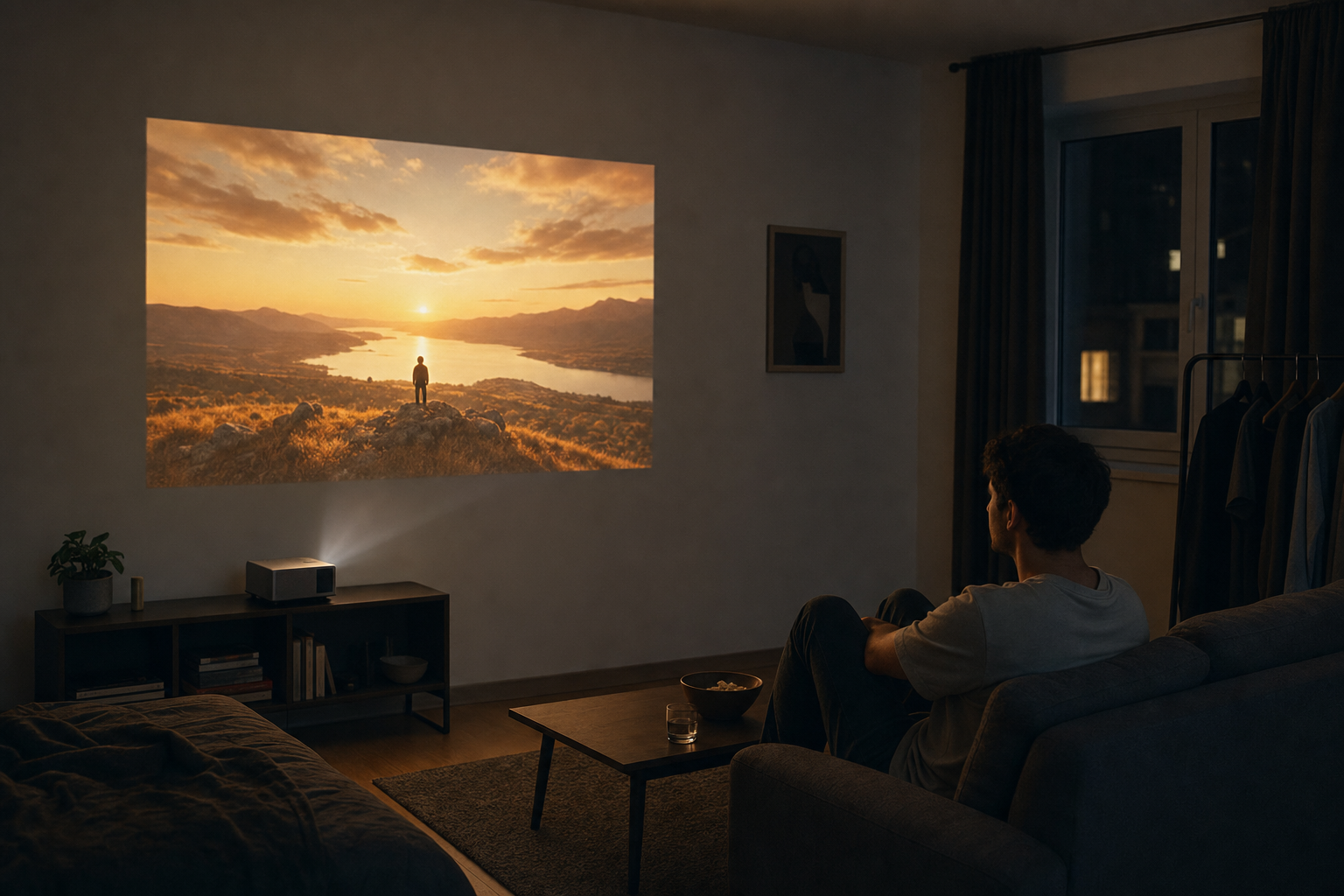
Dark room performance: In a properly darkened room — blackout curtains, lights off — the D1R produces a watchable image at screen sizes typical for bedroom or small living-room use. Colors are reasonably saturated for casual content. This is where the projector performs closest to its potential.
Ambient light performance: Any meaningful ambient light — a lamp on, daylight through curtains, an open window — washes out the image noticeably. Daytime viewing without blackout curtains is not a realistic use case for this projector. This is not unique to the D1R; it applies to most projectors in this price tier. But it is a hard limit buyers need to accept before purchasing.
Native resolution: not confirmed in Aurzen’s published materials. Manufacturers in this category sometimes list supported input resolution separately from native output resolution. Buyers should verify the native resolution specification directly on the product listing or Aurzen’s official documentation before purchase, as this affects perceived sharpness at larger screen sizes.
Autofocus and keystone correction: The D1R includes autofocus and keystone correction, which meaningfully reduces setup friction compared with projectors that require manual focus adjustment every session. These features work well enough for casual use, though editorial analysis suggests that auto-correction systems at this price point occasionally need a manual override for precise alignment.
Throw distance and screen size: Aurzen publishes no throw ratio for the D1R. Buyers should measure their room before assuming a target screen size is achievable from their preferred placement distance. Aurzen’s product page or manual should list the throw ratio for accurate planning.
Sound Quality and Fan Noise
Built-in projector speakers are a consistent weak point across the category, and the D1R does not escape that pattern. The onboard audio is adequate for casual dialogue-heavy content at moderate volume in a small room. It is not adequate for action films, music, or any situation where you want room-filling sound.
The D1R supports Bluetooth audio output, which is the practical solution. Pairing a Bluetooth speaker or headphones bypasses the built-in speakers entirely and substantially improves the experience. If you already own a decent Bluetooth speaker, factor that into your setup plan from day one rather than treating it as an optional upgrade.
Fan noise is a separate issue. Projectors generate heat and require active cooling. The D1R’s fan is audible during quiet scenes — dialogue pauses, slow dramatic moments, or anything with a low ambient soundtrack. This is a known tradeoff with compact projectors in this class. It is not a defect; it is a category characteristic. Whether it bothers you depends on your sensitivity to background noise and the volume level you typically watch at.
Setup and Daily Friction
The D1R’s setup story is straightforward: power on, connect to Wi-Fi, log into your Roku account, and start watching. There is no separate device to configure. Autofocus and keystone correction handle most of the image alignment automatically. For the target buyer — someone who wants a projector that works without a technical learning curve — this is a genuine strength.
Daily friction points to know about:
- Wi-Fi dependency: Roku TV requires a stable Wi-Fi connection. Weak signal or congested networks will affect streaming quality. The D1R does not appear to have an Ethernet port, based on the product information available to us.
- Boot time: Projectors with embedded smart platforms typically take longer to boot than a simple display. Expect a short wait before the Roku interface is ready.
- Placement: The projector needs a stable, flat surface at the right distance from your screen or wall. A dedicated shelf or projector stand improves consistency versus repositioning it each session.
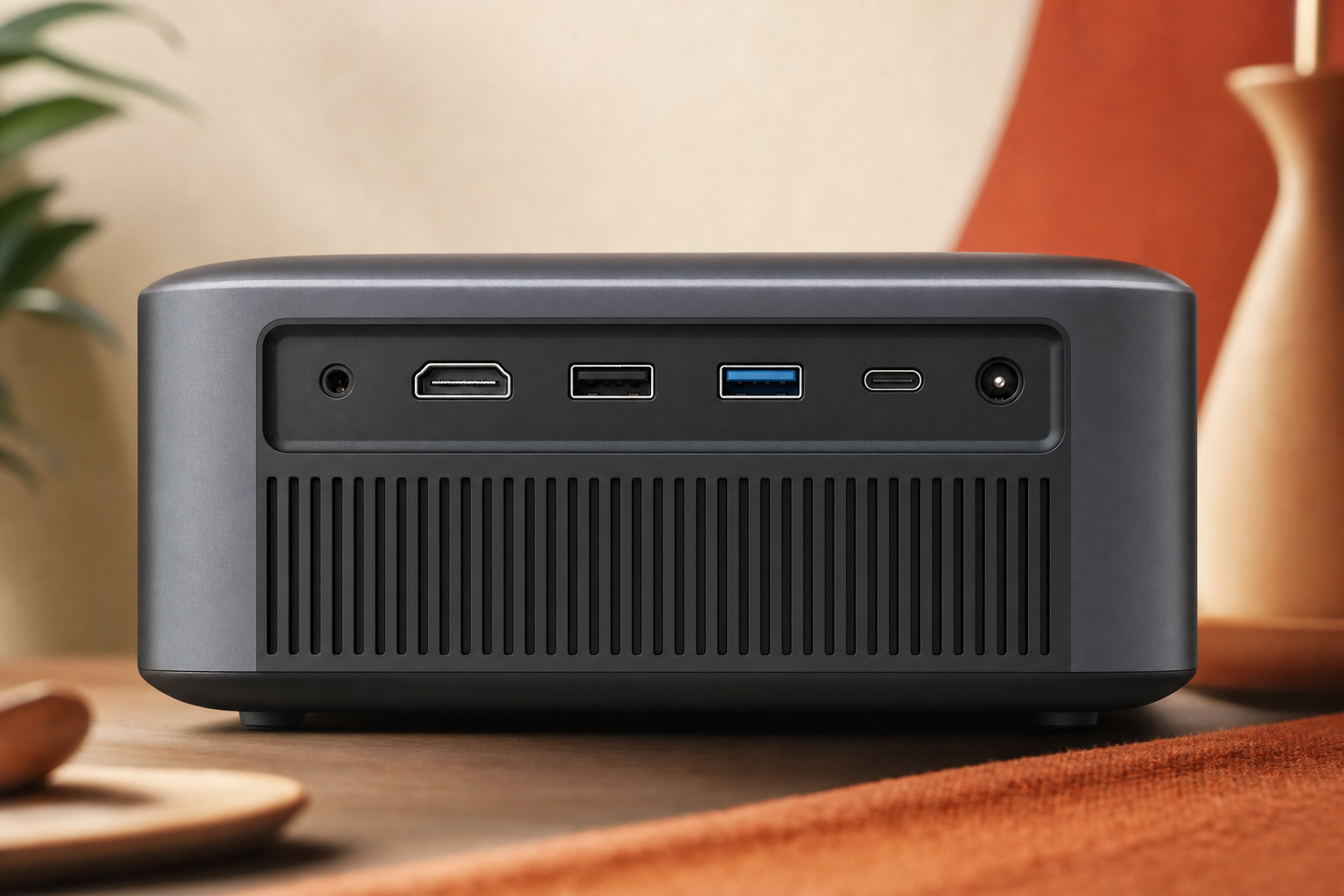
- HDMI connectivity: External devices — game consoles, Blu-ray players, laptops — connect via HDMI. The listing does not state how many HDMI ports the D1R has.
Price and Value
The D1R sits in a competitive segment where the price gap between a budget projector plus a Roku stick and an integrated unit like this is often smaller than buyers expect. The integration premium is real but modest. What you are paying for is the convenience of one fewer device and a cleaner setup — not meaningfully better optics or audio than comparably priced separate components.
The value case is strongest if you place high weight on simplicity and do not already own a streaming device. If you have an Apple TV, Fire Stick, or Chromecast sitting in a drawer, the built-in Roku TV adds less incremental value for you specifically.
Check price on Amazon — pricing in this category shifts frequently, and the value calculation changes depending on where it sits relative to alternatives at the time you are buying.
Realistic Alternatives
| Option | Key Difference | Better If You… |
|---|---|---|
| Budget projector + Roku Stick 4K | Separate devices; more flexibility; often similar total cost | Already own a streaming stick or want to upgrade components independently |
| Nebula Capsule series | More established brand; similar portability tier | Want a brand with longer market track record in portable projectors |
| A 43–55″ budget TV | Significantly brighter; better audio; no throw-distance constraints | Prioritize image reliability over large-screen size and portability |
| Higher-lumen laser projector | Usable in more ambient light; higher cost | Need to watch in rooms you cannot fully darken |
The D1R does not need to beat every alternative — it needs to be the right fit for a specific buyer. That buyer is someone who wants a dark-room streaming projector with minimal setup complexity and does not need to compete with ambient light or fill a large room with sound.
Frequently Asked Questions
Is the Aurzen D1R Roku TV Smart Projector worth it?
For casual movie watchers who plan to use it in a darkened room and want a single-device streaming setup, yes — conditionally. The built-in Roku TV integration is a genuine convenience advantage. If you need bright output in ambient light or strong built-in audio, it is not the right fit.
Does the Aurzen D1R have Roku built in?
Yes. The D1R runs Roku TV natively — the same platform used in Roku-branded televisions — so no separate streaming device is required. You access the Roku home screen, channel store, and all compatible apps directly from the projector.
How good is the Aurzen D1R picture quality for movies?
In a properly darkened room it produces a watchable, reasonably colorful image suitable for casual movie watching. In rooms with ambient light the image washes out noticeably. It is not a substitute for a bright TV or a high-lumen laser projector in lit environments.
Is the Aurzen D1R bright enough for daytime viewing?
No, not in a typical room with natural light. Like most projectors in this price tier, the D1R requires a darkened environment to produce a usable image. Blackout curtains are effectively a requirement for daytime use.
Does the Aurzen D1R work well in a bedroom or small apartment?
Yes — this is its strongest use case. A small, darkened room where you control the light is where the D1R performs closest to its potential. The compact form factor suits bedroom dressers or small shelves.
How is the sound quality on the Aurzen D1R?
The built-in speakers are adequate for quiet dialogue-heavy content in a small room. For anything more demanding, pairing a Bluetooth speaker is the practical solution. The D1R supports Bluetooth audio output.
Can you use Netflix and other streaming apps on the Aurzen D1R?
Yes. Because Roku TV is built in, you have access to the full Roku channel store, which includes Netflix, Disney+, Hulu, Amazon Prime Video, HBO Max, Apple TV+, and Roku’s free ad-supported channels, among others. Individual app subscriptions are still required.
Does the Aurzen D1R support HDMI devices like game consoles?
Yes, the D1R includes HDMI input for external devices, though the listing does not say how many ports. For gaming, note that Aurzen publishes no input-lag figure — worth confirming if you play anything fast-paced or competitive.
Is the Aurzen D1R good for outdoor movie nights?
It can work for outdoor use after dark when ambient light is low. It is not suitable for outdoor use in daylight or dusk conditions. A stable power source and a flat white surface or portable screen are needed.
What are the biggest downsides of the Aurzen D1R?
The three most significant limitations are: brightness that requires a darkened room, built-in audio that needs a Bluetooth speaker to be genuinely satisfying, and fan noise that is audible during quiet scenes. These are category-wide tradeoffs at this price point, not unique defects — but they are real constraints to accept before buying.
Final Verdict
The Aurzen D1R is a focused product for a specific buyer. If you want a dark-room streaming projector with Roku TV built in, minimal setup friction, and a compact footprint for a bedroom or small apartment, it delivers on that brief. The built-in Roku TV integration is not a gimmick — it genuinely simplifies the setup compared with a standard projector-plus-stick combination.
The limits are equally clear: it is not a daylight projector, its built-in audio needs help from a Bluetooth speaker, and fan noise is part of the deal. Go in with those expectations set and the D1R is a reasonable choice. Go in expecting TV-level brightness or cinema-quality sound and you will be disappointed.
Confidence in this verdict is rated B — based on available product specifications and category research. First-hand testing data would sharpen the picture quality and fan noise assessments in particular.
Next step: Check price on Amazon and confirm the native resolution and HDMI port count on the listing before purchasing.