Skip to content
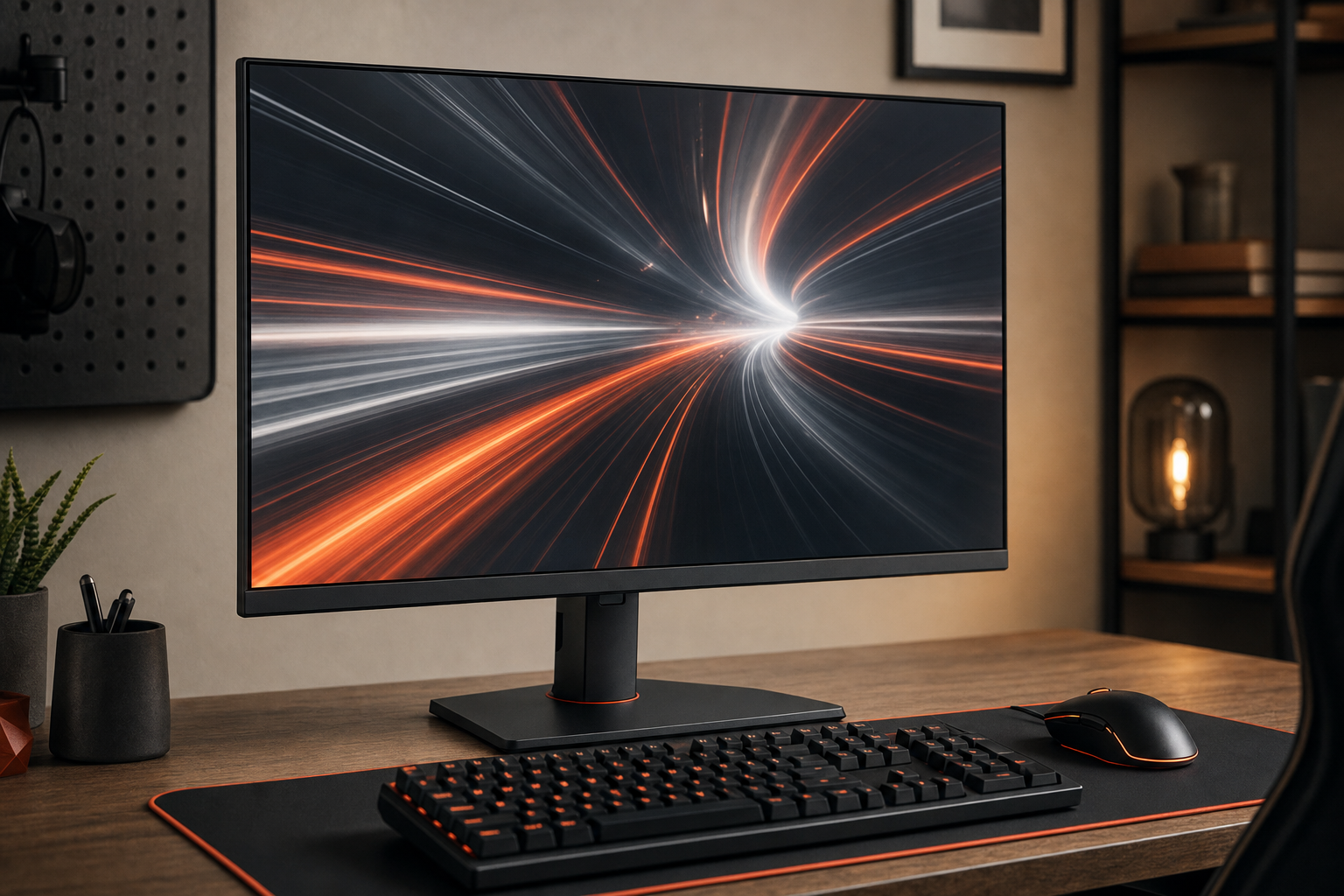
 If you are considering the AOC Q27G41ZE 27-inch QHD 240Hz Gaming Monitor, the main question is not whether 240Hz sounds impressive. It is whether your PC, your games, and your priorities actually let you benefit from a 27-inch 1440p display built around very high refresh.
This is a RESEARCH-BASED REVIEW, so the goal here is to separate the likely buying case from the assumptions many monitor listings leave vague. Based on the verified editorial inputs for this page, the strongest reason to consider this model is its 240Hz-class refresh target for fast PC gaming. The biggest trade-off is simpler: high refresh only matters if your system can drive the frame rates to match. If you want a sharper-than-1080p esports setup and have the hardware to support it, this type of monitor can make sense. If not, a cheaper 1440p high-refresh alternative may fit better.
Quick Answer
Research summary
The AOC Q27G41ZE looks most appealing for competitive PC gamers who specifically want the combination of 27-inch QHD detail and 240Hz-class refresh. That pairing aims at players who care about fast motion and who also want to avoid dropping back to 1080p.
The main caution is just as important: a 1440p 240Hz monitor makes the most sense when your GPU and game library can approach very high frame rates. If you mainly play visually heavy single-player games, do color-critical work, or want a monitor centered on 4K console use, this does not look like the most natural fit from the available evidence.
The Product Shortlist may earn a commission from qualifying purchases. This does not affect our verdict.
What this monitor is really selling
On paper, the AOC Q27G41ZE sits in a very specific part of the market: buyers who want more visual detail than a typical 1080p esports display, but who still care enough about speed to chase 240Hz-class refresh.
That matters because 27-inch QHD and 240Hz solve two different wants at once:
- QHD at 27 inches is the part aimed at clearer desktop space and sharper in-game image detail than 1080p on the same size screen.
- 240Hz-class refresh is the part aimed at competitive play, where faster update rates can feel more responsive when frame rates are high enough.
That combination is easy to overvalue if you are shopping by headline specs alone. In practice, the value depends heavily on your hardware and what you actually play. A monitor like this makes the most sense when you spend meaningful time in fast multiplayer titles and have a PC built to chase high frame rates at 1440p.
Who 1440p 240Hz is really for
This is the decision point many reviews skip. Not every gamer shopping for a fast monitor gets equal value from 240Hz at 1440p.
Best fit
- Competitive PC gamers who play fast shooters or similarly reaction-heavy games
- Buyers who want a 27-inch screen and prefer QHD over 1080p
- Users with a capable enough GPU to push very high frame rates in the games they care about
- People who are specifically trying to balance esports-style speed with more desktop and image detail
Less convincing fit
- Players whose systems will rarely get near the frame rates that make 240Hz worthwhile
- Buyers focused mostly on color-critical creative work
- Console gamers prioritizing 4K use
- Shoppers who mainly want a general-purpose 1440p monitor and do not need the extra refresh headroom
That last point matters for value. If your real-world use looks more like general gaming, work, web browsing, and occasional competitive matches, the jump from a lower 1440p high-refresh tier to 240Hz may not be the best place to spend extra money. We are not stating a price-based verdict here because current pricing was not part of the verified input, but the buying logic still holds: the closer your use case is to serious competitive PC gaming, the easier this kind of monitor is to justify.
Main pros and cons
| Pros | Cons |
|---|---|
| QHD resolution on a 27-inch gaming monitor is a strong middle ground for desktop clarity and gaming detail | 240Hz-class refresh is only meaningfully useful if your GPU and games can deliver very high frame rates |
| 240Hz target is aimed directly at fast PC gaming and competitive play | Not the clearest fit for buyers focused on color-critical creative work |
| Appeals to shoppers who want more detail than 1080p without giving up a very fast refresh target | Not the natural choice for console-focused 4K gaming setups |
What we can verify vs. what you should verify before buying
Because this page is built as a research-based review with limited confirmed source detail, it is important to be transparent about what is established here and what still deserves a check before you buy.
Verified from the supplied evidence
- Model under review: AOC Q27G41ZE
- Screen size category: 27-inch
- Resolution class: QHD / 1440p
- Refresh positioning: 240Hz-class gaming monitor
- Best fit: competitive gamers wanting QHD detail with very high refresh
- Main limitation: you need strong enough PC hardware for the refresh target to matter
Details buyers should verify on the official product page or manual before purchasing
- Panel type
- Adaptive sync or VRR support details
- Port selection, including exact DisplayPort and HDMI availability
- Stand adjustment options and whether height, tilt, swivel, or pivot are included
- VESA mounting support
- HDR support claims, if any
- Any real-world testing on motion clarity, ghosting, overdrive behavior, brightness, contrast, input lag, and color accuracy
That is not a knock on the monitor. It is simply the honest limit of the currently verified evidence. Many monitor buying mistakes happen when shoppers assume a fast refresh spec automatically tells them everything about motion handling, connectivity, ergonomics, or image quality. It does not.
Bottom Line
The AOC Q27G41ZE makes the most sense if you are intentionally shopping for a 27-inch 1440p monitor with a 240Hz-class refresh target for competitive PC gaming. That is the clearest case for it. Its appeal is easy to understand: sharper-than-1080p gaming plus refresh high enough to target serious multiplayer play.
The key trade-off is also easy to understand: if your hardware cannot feed it, or your gaming habits do not center on high-frame-rate competitive titles, you may not get the full value from what this monitor is built to do.
If that use case matches you, check price on Amazon. If not, pause and verify whether you actually need 240Hz at 1440p before buying.
FAQ
Is the AOC Q27G41ZE 27-inch QHD 240Hz Gaming Monitor worth it for competitive gaming?
It can be, especially if you want the combination of QHD detail and a 240Hz-class refresh target for competitive PC gaming. The big condition is hardware: the monitor makes more sense when your system can drive very high frame rates in the games you play.
Who should buy the AOC Q27G41ZE and who should skip it?
Buy it if you are a competitive PC gamer who wants a 27-inch 1440p display and cares enough about fast refresh to aim for 240Hz-class performance. Skip or at least think harder if you mainly do color-critical work, want a 4K console-focused display, or will not realistically benefit from such a high refresh target.
Is 240Hz at 1440p actually noticeable over 165Hz or 180Hz?
For the right player, it can be noticeable, but the difference is most meaningful when you play fast competitive games and your PC can push frame rates high enough to take advantage of the refresh headroom. If you do not meet both conditions, the practical gap may matter less than the spec sheet suggests.
What kind of GPU do you need to benefit from a 27-inch QHD 240Hz monitor?
You need a capable GPU by 1440p high-frame-rate standards, because the main trade-off with this class of monitor is that very high refresh only pays off when your system can approach those frame rates. Exact GPU recommendations are outside the verified source set for this page, so treat your own game list and performance targets as the deciding factor.
Is the AOC Q27G41ZE good for esports titles like Valorant, CS2, Apex Legends, or Fortnite?
In broad buying terms, this type of 27-inch QHD 240Hz monitor is aimed at that style of fast competitive PC gaming. Whether it is the right match for those games on your setup depends on whether your system can reach the frame rates needed to benefit from a 240Hz-class screen.
Is this monitor good for single-player games and general use?
It may still be appealing for general use because 27-inch QHD is a useful size-and-resolution combination, but the core reason to choose this model is still high-refresh competitive gaming. If that is not your priority, a different 1440p monitor may provide a better fit.
Is the AOC Q27G41ZE suitable for color-critical creative work?
Based on the supplied editorial guidance, this is not the safest assumption. Buyers focused on color-critical work should verify panel behavior and independent color testing before purchasing.
Does the AOC Q27G41ZE support adaptive sync or VRR?
You should verify that directly on the official AOC product page or user manual before buying. Adaptive sync and VRR are common buying considerations in this category, but they were not explicitly confirmed in the verified facts provided for this article.
What ports and mounting options should buyers verify before purchasing?
Check the official AOC documentation for exact port selection, DisplayPort and HDMI details, stand adjustment options, and VESA mounting support. Those practical details can matter as much as refresh rate depending on your desk setup and hardware.
Is a 27-inch 1440p monitor a good size and resolution for PC gaming?
For many PC gamers, yes. It is a popular middle ground for people who want more detail and workspace than 1080p while keeping a manageable screen size. In this monitor’s case, the extra question is whether you also need 240Hz-class refresh.
What are the main pros and cons of the AOC Q27G41ZE?
The main upside is the combination of 27-inch QHD and a 240Hz-class refresh target for fast PC gaming. The main downside is that you need the right GPU and game mix to benefit from that refresh rate, and it is not the most obvious fit for color-critical work or 4K console-focused use.
Is this a better buy than a cheaper 1440p high-refresh monitor?
Only if you will actually use what 240Hz adds. If your hardware and games support very high frame rates and you care about competitive play, the answer may be yes. If not, a lower-refresh 1440p option could be the more sensible buy.