Skip to content
Quick Answer
Research summary
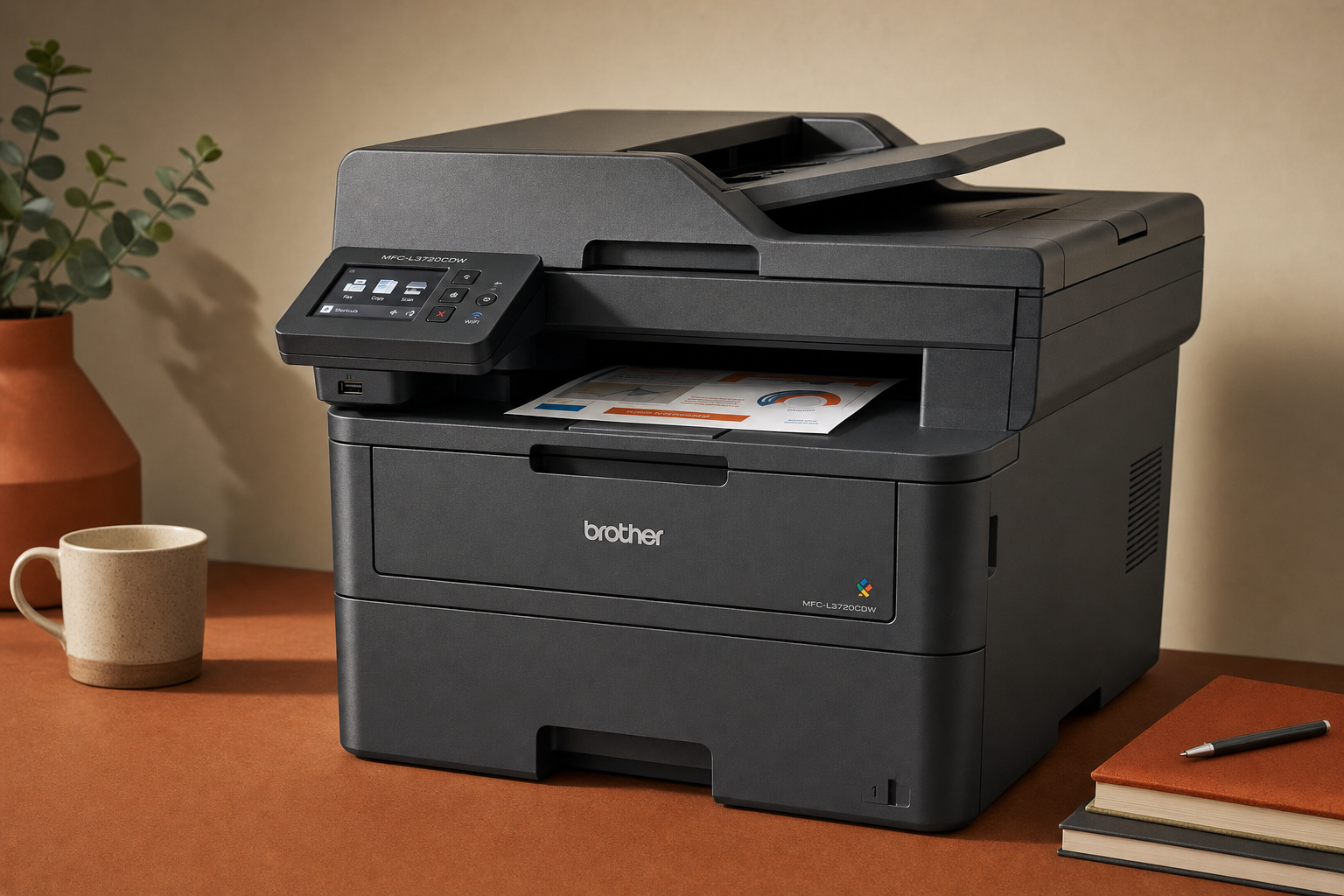
If you are considering the Brother MFC-L3720CDW, the core question is not just whether it is a good printer. It is whether a color laser all-in-one is the right fit for your mix of work documents, school printing, scanning, and occasional color output. For that buyer, this model is promising on paper because it sits squarely in the home-office and light-office category the product type is meant to serve.
This is a RESEARCH-BASED REVIEW, so the goal here is to translate the model and category fit into a practical buying decision without pretending to have first-hand test results we do not have. Based on the verified information provided for this page, the MFC-L3720CDW makes the most sense for buyers who want laser convenience, all-in-one functionality, and document-focused color printing. It makes less sense if your priority is photo output, the lowest upfront spend, or if you only print rarely enough that a simpler option may be easier to justify.
The Product Shortlist may earn a commission from qualifying purchases. This does not affect our verdict.
Most search results for this model stop at repeating the feature list. That is not enough for a meaningful buying decision. What matters more is where this machine fits: text-heavy home office use, shared household printing, schoolwork, and light office workflows where scanning and copying are part of the routine.
If that sounds like your use case, the Brother MFC-L3720CDW is worth a closer look. If your needs are more photo-focused or highly occasional, the category tradeoffs become harder to ignore.
What this printer is really for
The clearest way to judge the Brother MFC-L3720CDW review question is to start with the type of printer it is. This is a color laser all-in-one, which generally means the value proposition is convenience for everyday document work: sharp text, fewer ink-related frustrations that many buyers associate with infrequent use, and built-in scan/copy capability in one unit.
That does not automatically make it the right buy for everyone. A color laser all-in-one usually appeals most to buyers who print a steady mix of work packets, forms, school handouts, reference pages, presentations, and occasional color documents rather than glossy photos or craft-heavy media. In other words, the MFC-L3720CDW looks most relevant for practical document users, not print hobbyists.
The all-in-one part also matters. If you regularly need to scan multi-page paperwork, make copies, or manage family and office admin from one machine, that matters more than a simple print-only device. The search intent around Brother MFC-L3720CDW scanning and copying suggests buyers care about workflow, not just raw print output, and that is the right way to evaluate this model.
Where a color laser all-in-one makes sense
For many buyers, the real comparison is Brother MFC-L3720CDW vs inkjet rather than this model versus every other printer on the market. That decision comes down to use pattern.
It likely makes more sense if you mostly print documents
If your pages are mostly text, charts, school assignments, forms, and occasional color handouts, a color laser all-in-one often lines up better with the job than an inkjet. That is category-level guidance, not a claim about this model’s measured print quality. The buyer takeaway is simple: if you want a printer that is primarily a work tool, this category is usually easier to justify.
It likely makes sense for shared home-office use
The MFC-L3720CDW should be most appealing in a household or small workspace where one machine needs to cover several jobs: printing, copying, and scanning for more than one person. That is especially true if schoolwork and home-office paperwork overlap in the same space.
It likely makes sense if duplex printing matters
One of the notable keyword targets around this product is Brother MFC-L3720CDW duplex printing. That tells you buyers are not just asking whether it prints, but whether it cuts paper waste and friction in everyday use. Automatic duplex support is one of the practical features that tends to matter far more over time than a long feature list on a product page.
It likely makes sense if you want one step up from a basic home printer
There is a broad middle ground between a cheap personal printer and a heavier-duty office machine. This model appears aimed at that middle ground: buyers who want more capability and a more document-focused design than entry-level hardware, but who are still shopping for a home office or light office setup rather than a large workgroup device.
Main tradeoffs to think about
The Brother MFC-L3720CDW worth it question depends on whether you are comfortable with the tradeoffs that come with this category.
1. A color laser all-in-one is not the obvious choice for photo-first buyers
If your main goal is printing photos or image-heavy creative work, this is where caution is warranted. The information provided for this article strongly frames the model around home office and light office use, not photo specialization. That does not mean it cannot print color documents. It means buyers should avoid assuming that occasional color-document capability is the same as photo-focused performance.
2. Upfront cost can be harder to justify for very light use
Even without discussing unverified pricing, the buying logic is straightforward: a more capable all-in-one laser makes the most sense when you will actually use its strengths. If you only print a few pages once in a while and rarely scan or copy, it may be harder to justify this type of machine compared with a simpler printer.
3. Running-cost discussions need caution
Buyers often assume laser automatically means cheaper to own. That is too simplistic. Toner economics versus inkjet ownership depends on print volume, page type, and replacement habits. Without current verified cost-per-page data in the source facts, the honest conclusion is narrower: the MFC-L3720CDW belongs on your shortlist if you want the ownership style of a laser printer, but you should still verify current toner costs before buying.
4. Size and workspace fit still matter
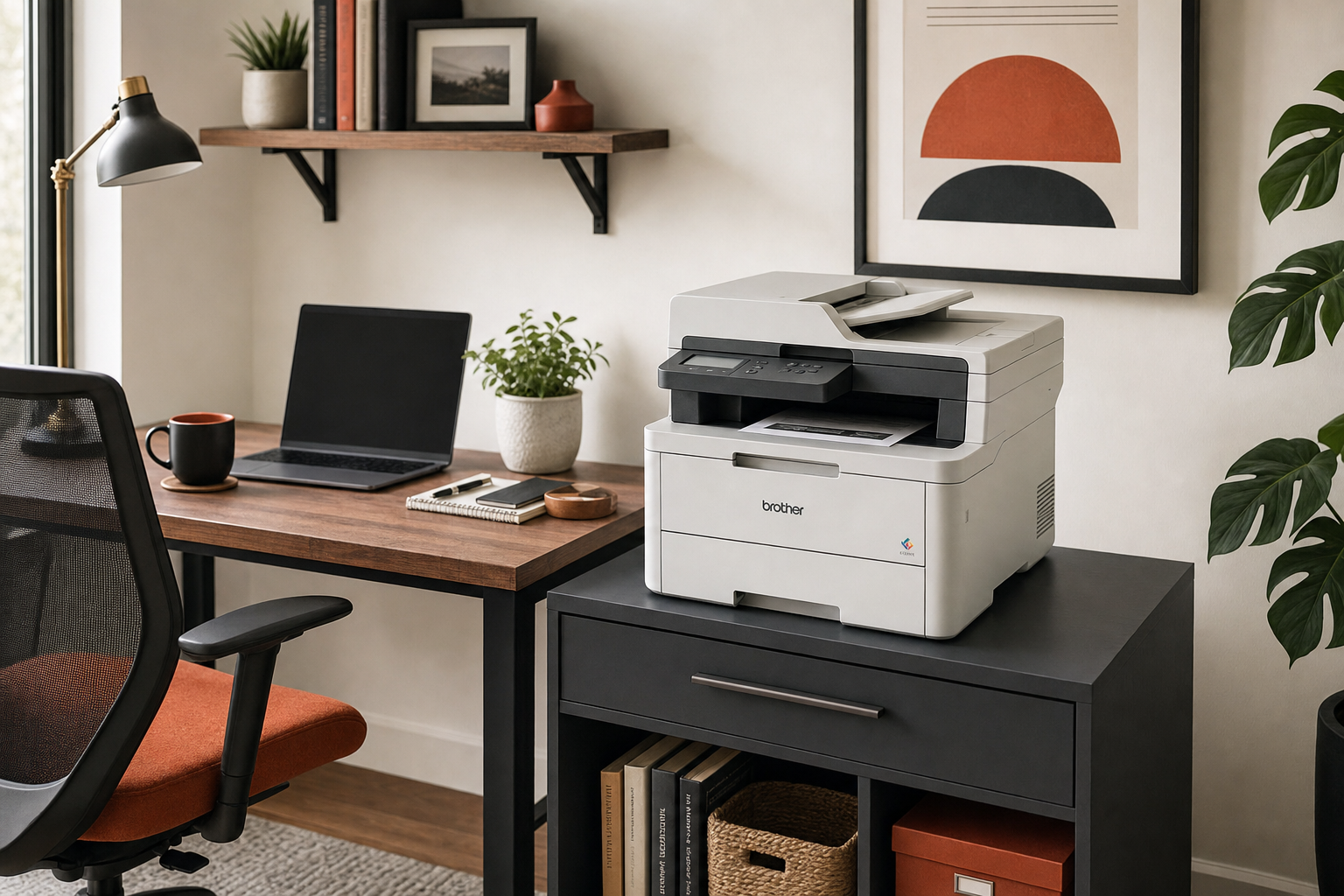
All-in-one laser printers are chosen for capability, but that capability usually comes with a more substantial physical presence than a minimal home printer. The right question is not whether it is ‘big’ in absolute terms, because we do not have verified dimensions here. The practical question is whether your desk or printer stand needs to handle a dedicated document hub rather than a tucked-away occasional-use device.
5. Setup and connectivity should be verified from official documentation
Searchers are also looking for information on Brother MFC-L3720CDW wireless setup. That matters because setup friction can shape your experience as much as output quality. However, without verified manual or spec-sheet details included here, it would be irresponsible to list exact connection options or app support from memory. If wireless and multi-device printing are central to your decision, that is one of the key specs to confirm on the official Brother product page before you buy.
Bottom Line
The Brother MFC-L3720CDW is most compelling for buyers who specifically want a color laser all-in-one for document-focused home office, school, or light office use. The fit looks strongest when scanning, copying, and routine work printing matter more than photo output or bargain-basement entry cost.
The main reason to hesitate is not that this model appears poorly positioned. It is that the category itself is only worth paying for when its strengths match how you actually print. If you mostly need reliable document handling from one shared machine, it is a sensible type of product to consider. If you print infrequently, care a lot about photos, or are trying to spend as little as possible upfront, you should compare it carefully against an inkjet before deciding.
If this sounds like your use case, the next step is simple: check the current price and verify the official Brother specs for connectivity, duplex support, paper handling, and toner replacements against your needs.
If you are also shopping for office paper, our Amazon Basics Multipurpose Copy Printer Paper review may help round out the decision.
FAQ
Is the Brother MFC-L3720CDW worth buying for a home office?
It can be, especially if your home office needs go beyond occasional printing and include scanning, copying, and regular document work. The better question is whether a color laser all-in-one fits your workload. For text-heavy and admin-heavy use, that category often makes more sense than a basic home printer.
Is the Brother MFC-L3720CDW a laser or inkjet printer?
It is a color laser all-in-one, based on the product name and topic information provided for this article.
Does the Brother MFC-L3720CDW print in duplex automatically?
Duplex printing is a major part of the search intent around this model, but exact support should be confirmed on the official Brother specifications page before purchase because that documentation was not supplied directly in the source facts here.
How good is the Brother MFC-L3720CDW for scanning and copying?
Its all-in-one design means scanning and copying are part of the product’s intended role. That makes it more relevant than a print-only model for home-office and school-document workflows. We do not have verified first-hand or lab-tested performance data here, so the fairest conclusion is that it should be evaluated as a workflow-focused device rather than judged on assumptions.
Is the Brother MFC-L3720CDW good for occasional color printing?
Yes, that appears to be a sensible fit for the category. Occasional color documents are different from photo-first use, though, and buyers should keep that distinction in mind.
Is Brother MFC-L3720CDW better than an inkjet for school and work documents?
It can be, particularly if your priority is routine document printing plus scan/copy convenience. An inkjet may still be the better buy if you want lower upfront cost or more photo-oriented use. The right answer depends more on your print habits than on brand alone.
Does the Brother MFC-L3720CDW support Wi-Fi and mobile printing?
Those details should be checked on the official Brother product page or user documentation before buying. Wireless setup is part of buyer interest for this model, but exact standards and app support were not included in the verified source facts for this article.
What are the main downsides of the Brother MFC-L3720CDW?
The main cautions are category-related: likely a higher commitment than a basic home printer, less appeal for photo-first buyers, and the need to verify toner costs and official specs before purchase.
Who should avoid the Brother MFC-L3720CDW?
Buyers who rarely print, mainly print photos, or simply want the cheapest possible entry point should look carefully at simpler alternatives before choosing a color laser all-in-one.
Is the Brother MFC-L3720CDW good for photos?
This does not look like the strongest reason to buy it. Its apparent fit is document-focused home office and light office use rather than photo-specialist printing.