Skip to content
Quick Answer
Research summary
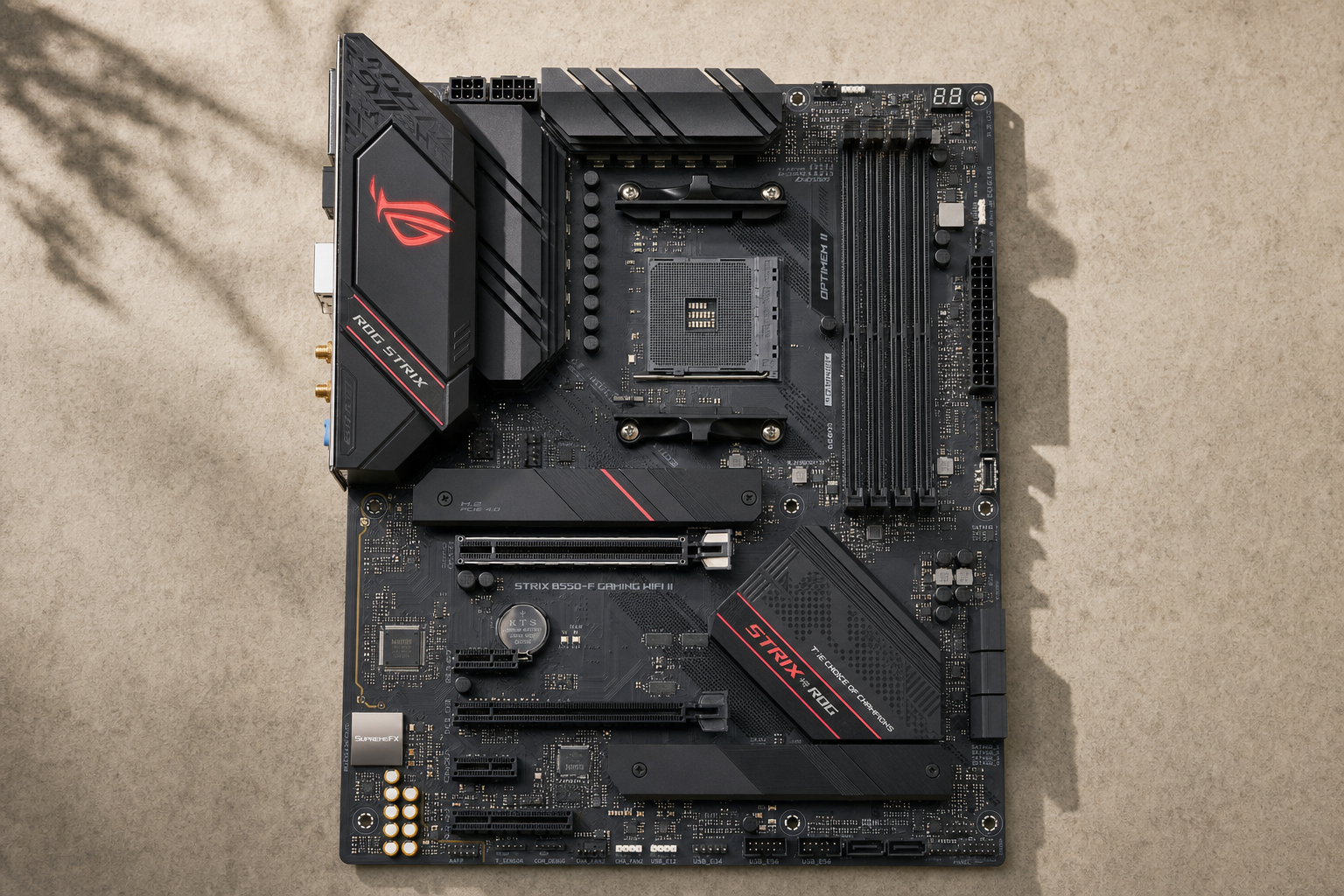
The ASUS ROG Strix B550-F Gaming WiFi II makes the most sense for buyers who already want to stay on AM4 and build around a Ryzen 3000 or Ryzen 5000 system, especially if they want a better-equipped B550 board rather than the cheapest possible option. Its appeal is straightforward: it pairs an older but still relevant AMD platform with the connectivity and feature set many gaming PC builders still care about, including WiFi, 2.5Gb Ethernet, DDR4 support, PCIe 4.0 support, and an ATX layout.
The harder question is not whether it is a good B550 board in isolation, but whether an AM4 motherboard is still the right buy now. For an existing AM4 upgrader, this board can still make sense. For a brand-new build, the decision is more conditional. If your budget points you toward Ryzen 5000 and DDR4 anyway, this board fits. If you are spending close to newer-platform money and care about a longer CPU upgrade path, AM5 is the more future-facing move.
The Product Shortlist may earn a commission from qualifying purchases. This does not affect our verdict.
What this board is really for
This is a RESEARCH-BASED REVIEW, so the goal here is not to repeat a spec sheet. It is to answer the buying question behind the search: does the ROG Strix B550-F WiFi II still make sense today?
In practical terms, this board targets buyers in three camps:
- Existing AM4 upgraders who want to keep using the AM4 platform instead of rebuilding around AM5.
- Value-focused new builders planning a Ryzen 5000 gaming build and preferring DDR4-based parts.
- Shoppers cross-shopping AM4 against AM5 and trying to decide whether the savings are worth giving up newer-platform headroom.
That third group is where many reviews fall short. The board itself can be well-equipped, but the platform matters as much as the motherboard. B550 is an older chipset, and AM4 is no longer the newest direction for AMD desktop upgrades. So the right question is not simply ‘is ASUS ROG Strix B550-F Gaming WiFi II good for gaming?’ It is ‘is this the right platform for the kind of build I want to live with over time?’
Who should buy it and who should skip it
Buy it if you fit one of these profiles
- You already own AM4 parts and want a higher-tier B550 board with built-in wireless networking and modern wired networking.
- You are building around Ryzen 5000 on purpose, not because you assume it is the newest option.
- You want an ATX motherboard with mainstream gaming-build features such as PCIe 4.0 support, M.2 support, SATA support, USB connectivity, and integrated networking.
Skip it if these issues matter more
- You want the longest upgrade path possible. That is the main reason to consider AM5 instead.
- You are comparing it against similarly priced newer-platform boards. In that case, platform age becomes the key tradeoff.
- You expect an older premium AM4 board to behave like a blank check for expansion. B550 has platform and lane limitations that you should verify against your exact build plan, especially if you plan multiple drives or several expansion cards.
If your shopping list already includes a Ryzen 5000 CPU and DDR4 memory, the ROG Strix B550-F WiFi II for Ryzen 5000 is easier to justify. If you are still undecided between AM4 and AM5, the motherboard itself is only half the decision.
The most important strengths and tradeoffs
Why this board still has a case
The strongest reason to consider this model is feature quality on a mature platform. The WiFi II version is positioned as more than a basic B550 board, and the combination of WiFi, Bluetooth, 2.5Gb Ethernet, ATX layout, PCIe 4.0 support, DDR4 support, and mainstream gaming-board amenities makes it relevant to buyers who want a complete AM4 board rather than a stripped-down one.
That matters because many buyers are not asking for the cheapest way onto AM4. They want a board that feels finished: enough storage options, enough networking, enough rear I/O, and a layout aimed at a full gaming PC build. On paper, this model sits in that more fully featured part of the B550 market.
The tradeoff you should not ignore
The main weakness is not a single missing feature. It is the age of the platform. ASUS ROG Strix B550-F WiFi II vs newer AM5 boards is the comparison that decides this purchase for many people. AM4 can still be a sensible value platform, but it is no longer the one to choose for the broadest forward upgrade headroom.
That means this board is easiest to recommend when you are making a deliberate AM4 decision. It is harder to recommend when the motherboard budget starts creeping close to what could support a newer platform instead.
Platform-fit matters more than badge value
Buyers sometimes overpay for older premium boards because the feature list looks reassuring. That can still be fine here if you specifically want a polished AM4 build. But if your real goal is long-term platform flexibility, then a well-equipped AM4 board can become the wrong kind of value: good board, aging socket.
Everyday friction to think about before buying
- CPU pairing and BIOS support matter. If you are matching the board with a specific Ryzen chip, confirm support through ASUS and AMD documentation before purchase.
- B550 lane and expansion limits are real. If you plan a GPU plus multiple NVMe drives plus additional expansion cards, check the official manual rather than assuming every slot can run without compromise.
- AM4 is best when the rest of the parts list already supports it. If you still need to buy everything from scratch, compare the total platform cost, not just the board price in isolation.
Bottom line
If you want a decision in one sentence: the ASUS ROG Strix B550-F Gaming WiFi II is a sensible buy for shoppers intentionally building or extending an AM4 system, but it is not the automatic answer for new builders who are also considering AM5.
So, is the ROG Strix B550-F WiFi II worth it? Yes, in the narrower lane where it belongs: existing AM4 upgraders and Ryzen 5000-focused builders who want a better-equipped B550 motherboard with built-in wireless networking and 2.5Gb Ethernet. If you are buying for maximum future CPU upgrade flexibility, this is where the platform starts to work against it.
For buyers comparing broader ASUS platform options, our ASUS ProArt B850-CREATOR WiFi NEO review covers a much newer AMD motherboard direction and is useful as a reality check on what you gain by moving up-platform.
FAQ
Is the ASUS ROG Strix B550-F Gaming WiFi II still worth buying in 2026?
It can still be worth buying if you already want to stay on AM4 or are intentionally building around Ryzen 5000 and DDR4. It is less compelling if your priority is the longest upgrade path, because that points more toward AM5.
Is the ROG Strix B550-F Gaming WiFi II good for Ryzen 5000 CPUs?
It is aimed at the AM4 ecosystem and is commonly considered by Ryzen 5000 shoppers. Before buying, verify your exact CPU pairing and any BIOS requirements through ASUS CPU support documentation and AMD platform information.
What is the difference between the B550-F Gaming WiFi II and older B550-F versions?
The main buyer-relevant point is that this is the WiFi II variant, so you should verify the exact networking and feature differences against ASUS’s official specifications instead of assuming all B550-F versions are the same.
Does the ASUS ROG Strix B550-F Gaming WiFi II support PCIe 4.0 GPUs and SSDs?
PCIe 4.0 support is part of the board’s appeal within the B550 platform, but exact slot behavior and storage-slot behavior should be confirmed through the ASUS manual and AMD chipset documentation for your specific build plan.
Is this motherboard good enough for a gaming PC build?
For an AM4 gaming build, yes, this board fits the kind of feature set many buyers want: ATX form factor, mainstream connectivity, modern networking, and a gaming-oriented B550 position. The bigger question is whether AM4 is still the right platform for your budget and upgrade goals.
Should I buy this AM4 board or move to an AM5 motherboard instead?
Choose this board if you are intentionally staying with AM4, especially for a Ryzen 5000 setup or an upgrade using existing parts. Move to AM5 if you are building fresh and care more about future CPU upgrade headroom than about minimizing platform cost today.
Does the ROG Strix B550-F WiFi II have built-in WiFi and 2.5Gb Ethernet?
Yes, those are core buyer-facing reasons this exact variant stands out, though you should still confirm the precise networking specs on ASUS’s official product page.
Are there any important limitations with B550 motherboards I should know before buying?
Yes. The main limitations are platform age, AM4’s shorter forward upgrade path compared with AM5, and B550 expansion and lane-sharing constraints that can matter if you plan several storage devices or add-in cards. Check the manual before you assume every slot arrangement works the way you want.