Skip to content
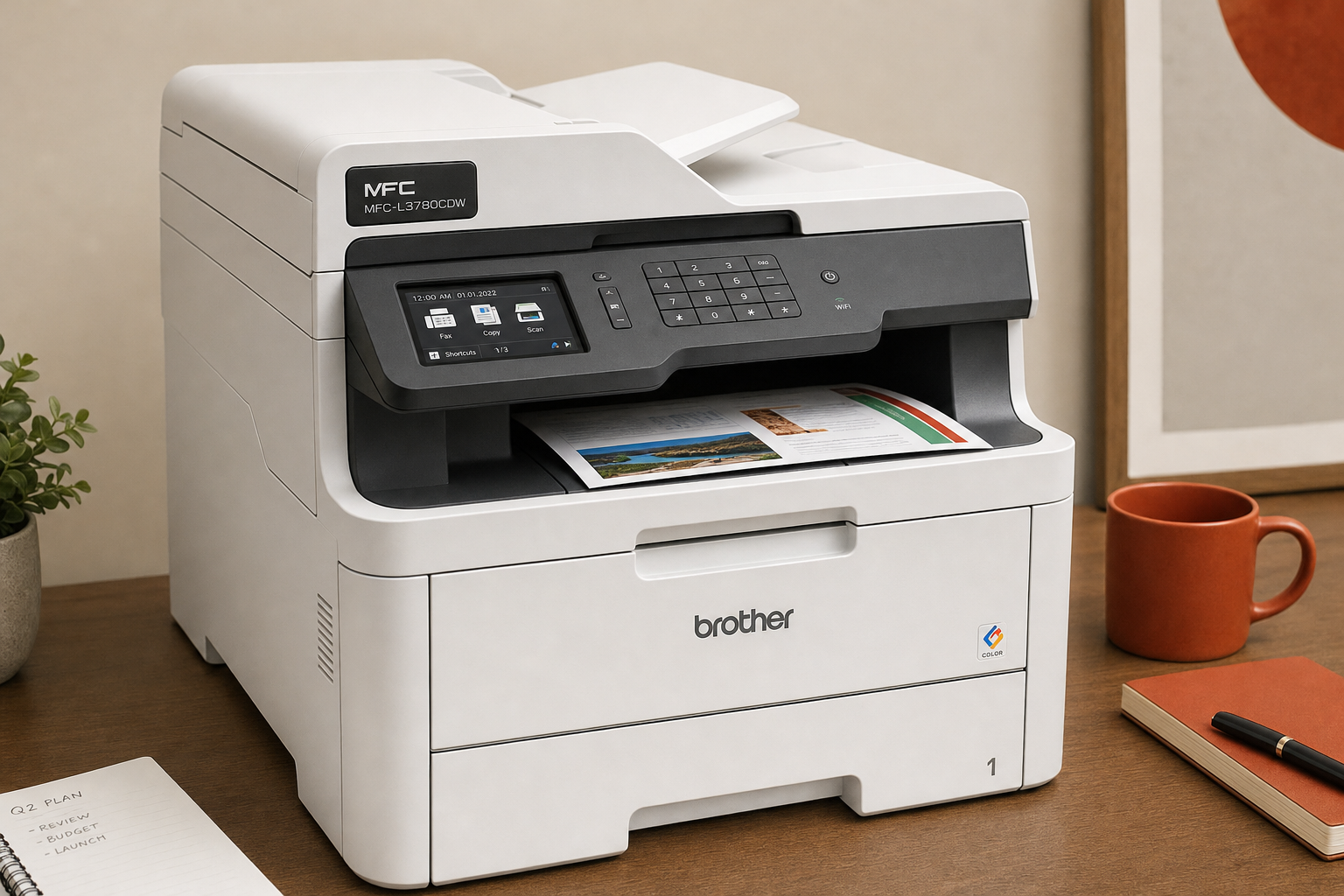
If you are deciding whether the Brother MFC-L3780CDW Wireless Digital Color All-in-One Printer is worth buying, the key question is simple: do you need a business-oriented color machine that can handle duplex printing, scanning, and copying for a small office, or do you just need the cheapest way to print in color?
This is a RESEARCH-BASED REVIEW, so the goal here is not to repeat a retailer spec sheet. It is to clarify fit. For the right buyer, this Brother model makes sense because it combines core office tasks in one networked device. For the wrong buyer, the big drawback is easier to miss: color toner replacement can make long-term ownership expensive.
Quick Answer
Research summary
The Brother MFC-L3780CDW makes the most sense for small offices that regularly need color documents, duplex printing, scanning, and copying from one shared machine. Its main appeal is convenience for document-heavy office work rather than low purchase cost or photo-focused output.
The biggest caution is ongoing toner expense. If your priority is keeping upfront and replacement costs down, or if you expect photo-lab-style color, this is probably not the right fit.
The Product Shortlist may earn a commission from qualifying purchases. This does not affect our verdict.
What this printer is really for
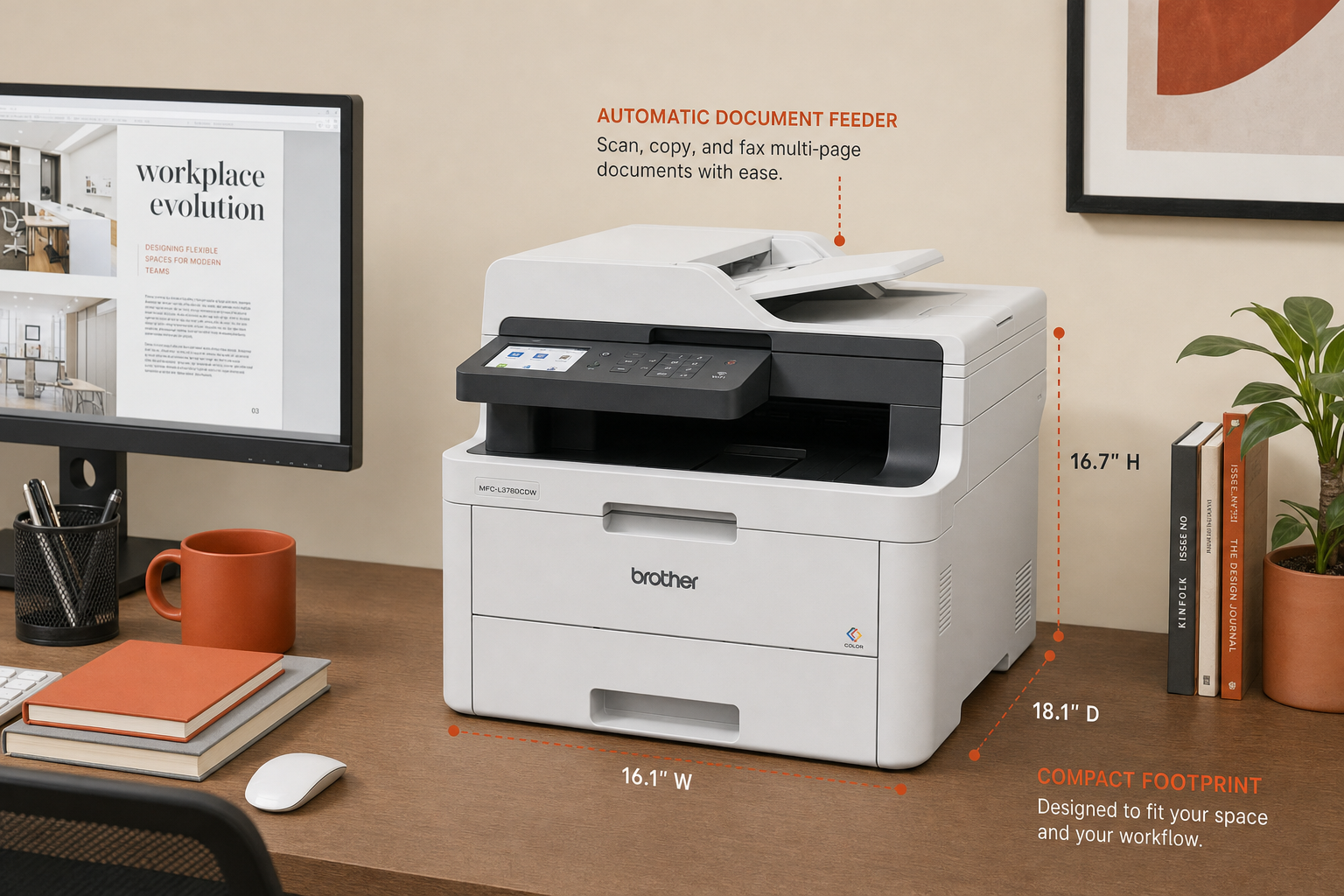
The best way to judge this model is by workflow, not by marketing language. The Brother MFC-L3780CDW is aimed at a small office that wants one device for color printing, copying, and scanning, with duplex capability as part of the value.
- Best fit: small offices that print business documents in color, share one printer across multiple users, and want print-scan-copy convenience in one place.
- Less ideal: buyers who print only occasionally, want the lowest possible upfront cost, or mainly care about glossy photo output.
That distinction matters because many all-in-one printer listings make every model sound universal. This one is not universal. It is more of a practical office tool than a general household printer.
Why buyers consider the Brother MFC-L3780CDW
Business-oriented color workflow
The strongest reason to consider this printer is the all-in-one office workflow. If your routine includes printing color presentations or handouts, scanning multi-page documents, and making copies without switching devices, this type of machine can be easier to live with than a basic single-function printer.
That is the main case for the Brother MFC-L3780CDW Wireless Digital Color All-in-One Printer review 2026 search intent as well: buyers are usually not asking whether it prints at all, but whether its office-focused feature set is worth paying for.
Networked all-in-one convenience
Based on the available editorial brief, one of this model’s central benefits is that it is a networked device built for shared use. In plain terms, that means it is better suited to an office environment where more than one person may need access than a stripped-down budget printer that only solves occasional printing.
If your office setup depends on standard copy paper for forms, invoices, drafts, and internal documents, it may also help to pair a printer choice like this with dependable paper. Our Amazon Basics Multipurpose Copy Printer Paper review covers one common office-paper option.
The main trade-off: toner cost over time
The biggest limitation in this review is not hard to state: toner replacement can make ownership expensive. That does not automatically make the Brother MFC-L3780CDW a bad buy. It means you should judge it on total cost of ownership, not just on whether the feature list looks attractive on day one.
For a small office that truly uses its color print, scan, and copy functions often, that expense may be acceptable because the workflow convenience is the point. But if you only print a few color pages here and there, the ongoing supply cost can be harder to justify.
This is also why the answer to is Brother MFC-L3780CDW worth it depends less on brand preference and more on how often your office will actually use the all-in-one and color-document features.
- If you print enough that office convenience matters, this model is easier to justify.
- If you rarely print in color, a simpler or cheaper machine may make more sense.
- If you are highly sensitive to replacement-supply costs, this is the issue to focus on before buying.
How to think about print quality
One of the more useful framing points for this category is to separate business color documents from photo expectations. Those are not the same buying goal.
The Brother MFC-L3780CDW is positioned for office work, so the more reasonable expectation is solid document output and color business graphics rather than photo-lab image quality. That aligns with the main ‘avoid if’ guidance in the source brief: if photos are your priority, this is not the strongest match.
That does not mean the printer cannot produce color pages. It means you should buy it for office documents first, and treat photo use as a separate standard. Many buyers end up disappointed with printers simply because they buy a document-focused machine while expecting photo-focused results.
Brother MFC-L3780CDW vs Brother MFC-L3720CDW
If you are comparing nearby Brother models, the closest internal next read is our Brother MFC-L3720CDW review. That comparison is especially relevant if you know you want a Brother color all-in-one but are still narrowing down which one best matches your office routine.
Because the verified facts provided here do not include a full side-by-side specification breakdown, the safest way to compare them is by role: start with whether you need a stronger duplex print-scan-copy workflow and whether toner cost is acceptable for your expected use. If those are your main concerns, they should drive the comparison more than minor marketing differences.
Bottom Line
The Brother MFC-L3780CDW Wireless Digital Color All-in-One Printer is easiest to recommend to a small office that wants one shared color device for duplex printing, scanning, and copying, and understands that toner cost is part of the deal.
If that sounds like your workflow, it is a sensible model to consider. If your goal is minimizing cost or getting better photo-focused output, you should keep looking.
Only need to print? See our Brother HL-L3220CDW wireless color printer review.
FAQ
Is Brother MFC-L3780CDW worth it for a small office?
It can be, especially if your office regularly needs color printing plus scanning and copying in one machine. The stronger case is workflow convenience. The weaker case is cost sensitivity, since toner replacement can raise ownership costs over time.
Is the Brother MFC-L3780CDW a laser printer or inkjet?
The verified brief positions it as a toner-based office color printer rather than an inkjet-style photo-focused model. In practical buying terms, the more important distinction is that it is built around office document use, not photo-lab expectations.
How expensive is Brother MFC-L3780CDW toner over time?
The exact running cost is not verified in the supplied facts, so we are not assigning numbers. What is supported is the core trade-off: color toner replacement can make long-term ownership expensive enough that buyers should think beyond the initial purchase.
Is the Brother MFC-L3780CDW good for duplex printing and scanning?
Yes, duplex printing, scanning, and copying are central to why this model is being considered by small-office buyers. That workflow is one of its main reasons to exist.
Does Brother MFC-L3780CDW work well over Wi-Fi for multiple users?
The supplied brief identifies it as a wireless, networked all-in-one aimed at shared office use. That supports the general conclusion that multi-user office connectivity is part of the product’s purpose, though we are not making unverified claims about setup ease or connection stability.
Is Brother MFC-L3780CDW good for photos?
It is not the ideal choice if photo-lab image quality is your priority. This model is better understood as a document-focused office printer that handles color business graphics, not as a photo-specialist machine.
What is the difference between Brother MFC-L3780CDW and Brother MFC-L3720CDW?
We do not have enough verified side-by-side specs here to make a precise feature comparison. The practical approach is to compare them based on your workflow needs, especially how much you value duplex print-scan-copy convenience and whether toner cost is acceptable for your office.
Who should skip the Brother MFC-L3780CDW?
Skip it if your top priority is low upfront cost, if you print color only rarely, or if you are expecting photo-focused output. In those cases, you may be paying for a business-oriented workflow you will not use enough to justify.